
















Elementor makes building WordPress websites fast, visual, and beginner-friendly, which is why it has become one of the most popular page builders available today. With its drag-and-drop interface and wide range of widgets, anyone can create beautiful layouts without touching a line of code. However, this simplicity can sometimes be misleading, making it easy to overlook important best practices while designing your pages.
Many designers and site owners unknowingly repeat the same common mistakes that lead to slow loading times, cluttered layouts, and websites that are difficult to update or scale. Overusing widgets, ignoring responsive settings, and skipping performance optimization are just a few examples of small errors that can quietly damage user experience and SEO.
In this blog, we’ll walk through the most common Elementor mistakes and explain exactly how to avoid them. By following these tips, you’ll be able to build cleaner layouts, improve site speed, and create more professional, reliable WordPress websites that look great on every device.
The Most Common Elementor Mistakes and How to Avoid Them

Elementor is a powerful WordPress page builder, but even small mistakes can hurt your site’s performance, design, and user experience.
By avoiding these common pitfalls, you can build faster, cleaner, and more professional-looking pages.
1. Overloading the page with widgets
Mistake: Many Elementor users think that adding every widget and animation will make their page look amazing. They throw in sliders, counters, testimonials, pop-ups, and fancy animations all at once.
Why It’s a Problem:
- Pages take longer to load, which frustrates visitors and can hurt SEO.
- A cluttered layout makes it harder for users to focus on your key content.
- More widgets increase the risk of plugin conflicts and bugs.
How to Avoid It:
- Plan your content before designing. Focus on what’s essential for your goals.
- Limit animations and effects to key elements that enhance the user experience.
- Test your page speed as you build. Tools like GTmetrix or PageSpeed Insights help spot heavy sections.
2. Ignoring global settings
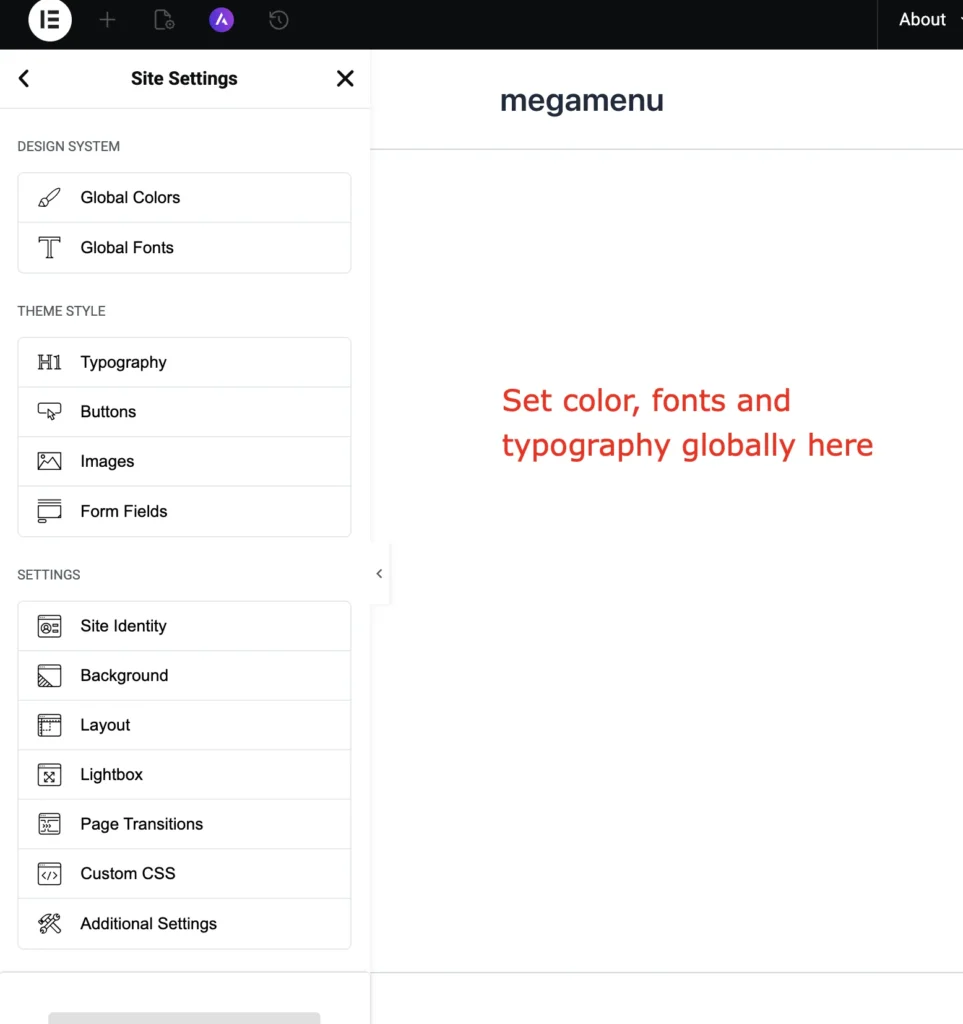
Mistake: Styling each section or widget separately instead of using Elementor’s global design tools.
Why It’s a Problem:
- Inconsistent fonts, colors, and buttons make the site look unprofessional.
- Making site-wide changes becomes a tedious, repetitive task.
How to Avoid It:
- Set Global Colors and Typography under Elementor > Site Settings.
- Use Global Widgets for recurring sections like CTAs or contact forms.
- This way, updates are automatic across the site, saving time and keeping design consistent.
3. Neglecting mobile responsiveness
Mistake: Designing only for desktop and assuming Elementor will automatically make it mobile-friendly.

Why It’s a Problem:
- Over 60% of web traffic comes from mobile devices.
- Elements can overlap, fonts may be too small, and buttons might be unclickable.
How to Avoid It:
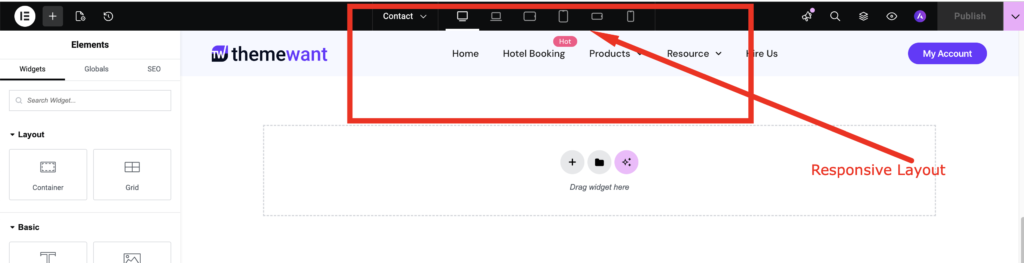
- Switch to Responsive Mode in Elementor to adjust layouts for tablets and phones.
- Check every section for spacing, padding, and font sizes on smaller screens.
- Hide unnecessary elements on mobile if they don’t add value.
4. Excessive use of third-party add-ons
Mistake: Installing multiple Elementor add-ons or extensions for extra widgets.
Why It’s a Problem:
- Each plugin adds extra code, slowing down the site.
- Some add-ons conflict with Elementor updates or other plugins.
- Difficult to maintain or troubleshoot when something breaks.
How to Avoid It:
- Use only essential add-ons that provide unique features you truly need.
- Check compatibility with your Elementor version and WordPress updates.
- Consider using custom code snippets instead of extra plugins for minor features.
5. Ignoring SEO and performance
Mistake: Focusing solely on visuals and forgetting SEO best practices or page speed.
Why It’s a Problem:
- Beautiful pages that take 10+ seconds to load lose traffic and rank poorly in search engines.
- Large images, unnecessary animations, and embedded videos can hurt performance.
How to Avoid It:
- Optimize images using WebP format or plugins like Smush or ShortPixel.
- Limit heavy animations or lazy-load them.
- Use Elementor’s Site Settings and WordPress caching plugins for better performance.
6. Not saving templates or using reusable blocks
Mistake: Rebuilding similar sections repeatedly instead of saving them as templates.
Why It’s a Problem:
- Wastes time and makes site updates cumbersome.
- Inconsistent layouts or styles when recreating elements manually.
How to Avoid It:
- Save frequently used sections or pages as Elementor Templates.
- Use Global Widgets for buttons, headers, or footers that appear on multiple pages.
- Updates to a template automatically apply everywhere it’s used.
Boost Your Elementor Workflow with Easy Elements
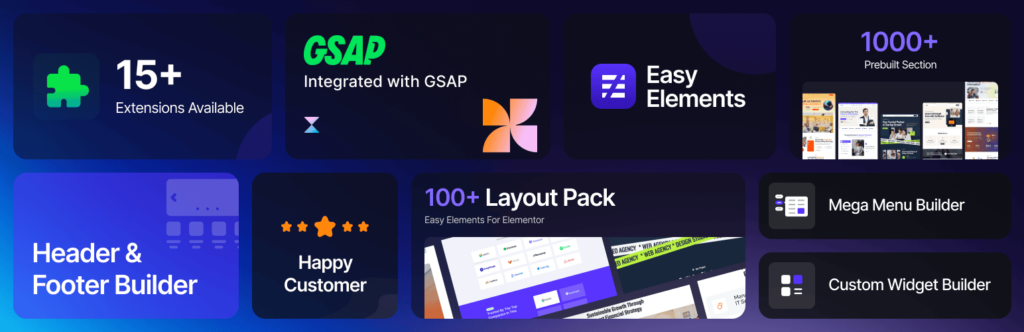
If you want to take your Elementor designs to the next level, Easy Elements is the perfect addon to have. It comes with a wide range of ready-made widgets, sections, and templates that integrate seamlessly with Elementor, helping you build professional-looking pages faster. With Easy Elements, you can save time, maintain consistent styling across your site, and add advanced features without relying on multiple plugins. It’s an essential tool for anyone looking to streamline their design process while keeping pages lightweight and responsive.
Final Thoughts
Elementor is an incredibly powerful tool for building websites, but even small mistakes can affect the performance, design, and user experience of your site. Overloading pages with widgets, neglecting global settings, and ignoring mobile responsiveness are common errors that can make a website slow, cluttered, or inconsistent. Understanding these pitfalls is the first step toward creating a more professional and efficient site.
By being mindful of best practices, such as optimizing layouts, using global styles, limiting unnecessary add-ons, and saving reusable templates, you can ensure your Elementor pages are fast, visually appealing, and easy to manage. Following these guidelines will help you deliver a seamless experience for visitors and maintain a site that looks polished and functions smoothly across all devices.
