
















Let’s be honest…
Most WooCommerce product galleries look boring.
And when your gallery feels boring, your product feels boring too — even if it’s amazing.
Your product images are your first impression, your sales pitch, and your trust builder all in one. If they don’t work, nothing else will.
So let’s fix that step by step.
Use Better Images, Not Just More Images
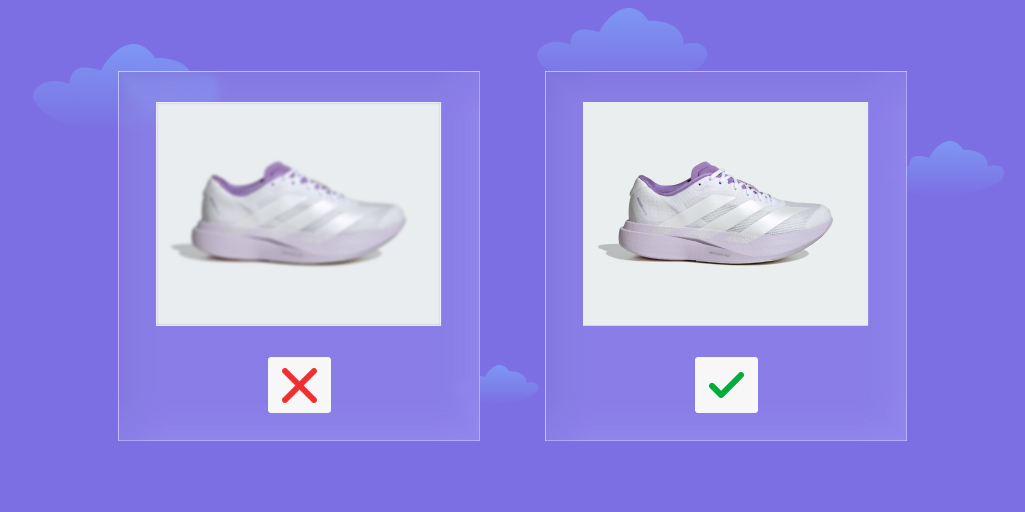
You don’t need 20 images. You need the right ones.
Think like a buyer:
- Can I clearly see the product?
- Can I see what it looks like in real life?
Use:
- Clean, high-quality photos
- Same background and lighting
- Different angles
- Real-life usage shots
👉 One strong image is better than five average ones.
Let Users Zoom and Feel the Product
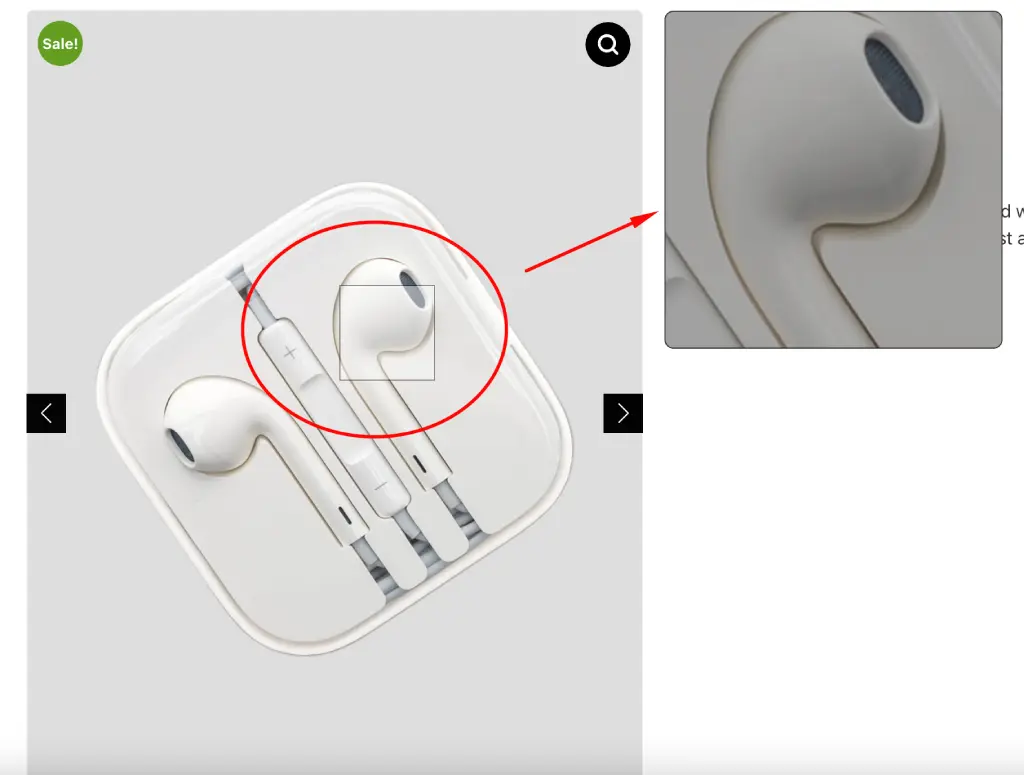
People love to inspect before they buy.
Zoom helps them feel like:
“Okay… this looks premium.”
If your product has texture, details, or material quality — zoom is not optional.
Add Video (This Changes Everything)
This is where most stores fail.
Images show.
Videos convince.
Even a simple video can:
- Show how the product works
- Build trust instantly
- Reduce hesitation
👉 A 10–20 second demo video can increase conversions more than extra images.
Make Navigation Smooth (Slider + Thumbnails)
If users struggle to view images, they leave.
Simple as that.
Make sure your gallery:
- Slides smoothly
- Has clickable thumbnails
- Feels fast and responsive
Good UX = longer time on product page.
Show Variation Images Clearly
This is a big one. If you sell:
- Different colors
- Different styles
Then don’t show the same image for all.
When someone selects “Blue”, they should see blue instantly.
👉 This removes confusion and increases confidence.
Use Lightbox for Better Viewing
When users click an image, give them a clean, full-screen experience.
No distractions. Just product.
It feels more premium and keeps users focused.
Keep It Fast (Speed = Sales)
Slow images kill conversions.
Even a 1–2 second delay can make people leave.
Do this:
- Compress images
- Use WebP format
- Enable lazy loading
👉 Fast gallery = better SEO + more sales
Make It Feel Perfect on Mobile
Most visitors are on mobile now.
So your gallery should:
- Swipe smoothly
- Load fast
- Show clear images without zoom struggle
If mobile feels bad, you’re losing half your customers.
Add Small Smart Features (Optional but Powerful)
Want to stand out?
Try:
- 360° product view
- Before/after images
- Image hotspots
Not required… but powerful if used right.
Use a Proper Gallery System (Don’t Stay Basic)

Default WooCommerce gallery is okay… but not enough.
If you want real results, you need:
- Better layouts
- Video support
- Variation images
- Smooth interaction
👉 For example, you can use a plugin like
Easy Product Gallery for WooCommerce.
It helps you easily add:
- Advanced gallery layouts
- Product video support
- Zoom & lightbox improvements
- Variation in image handling
👉 So instead of building everything manually, you can upgrade your gallery in minutes.
Final Thought: How to Improve WooCommerce Product Gallery
Your product gallery is not just a design.
It’s your conversion engine.
When it’s done right:
- People trust faster
- Stay longer
- Buy more
So don’t treat it as a small thing — it’s one of the biggest drivers of your sales.
