
















AI can optimize your WooCommerce product gallery by automatically selecting high-performing images, personalizing product displays, improving image quality, and reducing load times. This leads to better user experience, higher engagement, and increased conversions.
With artificial intelligence, WooCommerce stores can now dynamically adjust product images based on user behavior, preferences, and real-time data. This means every visitor sees the most relevant and persuasive version of your product presentation.
As competition grows in online retail, AI-driven product gallery optimization is becoming essential for store owners who want to increase sales, reduce bounce rates, and stand out in crowded markets.
Why Your WooCommerce Product Gallery Matters
Your WooCommerce product gallery isn’t just a collection of images—it’s one of the most powerful conversion drivers on your entire store. Since online shoppers can’t physically touch or try your products, they rely heavily on visuals to make buying decisions.
A strong product gallery builds trust, communicates value, and reduces hesitation. On the other hand, a weak or poorly optimized gallery can quickly drive potential customers away even if your product is excellent.
i. First impressions drive buying decisions
When users land on your product page, your images are the first thing they notice. High-quality, well-structured galleries instantly create a sense of professionalism and credibility.
If your visuals look outdated, blurry, or inconsistent, visitors may assume the same about your product.
ii. Visual content replaces physical experience
In eCommerce, your images act as a substitute for in-store interaction. A well-designed gallery should:
- Show multiple angles
- Highlight key features
- Demonstrate real-life usage
- Provide zoom or detail views
This helps customers feel more confident about what they’re purchasing.
iii. Direct impact on conversion rates
A compelling product gallery can significantly increase conversions by:
- Reducing uncertainty
- Answering common buyer questions visually
- Encouraging faster decisions
Shoppers are far more likely to buy when they clearly understand what they’re getting.
iv. Reduces bounce rate and returns
When customers don’t find enough visual information, they tend to leave—or worse, make uninformed purchases that lead to returns.
An optimized gallery ensures:
- Better engagement
- Longer time on page
- More informed buyers
v. Essential for mobile shopping
With most users browsing on mobile devices, your product gallery must be responsive, fast, and easy to navigate. Swipe-friendly galleries, zoom features, and quick loading times are no longer optional—they’re expected.
vi. Supports SEO and page performance
Your product gallery also contributes to search engine rankings. Optimized images with proper alt text, file names, and compression can:
- Improve page speed
- Boost visibility in image search
- Enhance overall SEO performance
How AI Transforms WooCommerce Product Galleries
Artificial intelligence is redefining how WooCommerce product galleries function, not just visually, but strategically. Instead of static image displays, AI turns your gallery into a dynamic, data-driven conversion engine that adapts to user behavior in real time.
Here’s how AI is transforming WooCommerce product galleries.
1. Smart image selection
AI analyzes user interactions such as clicks, scroll behavior, and purchase patterns to identify which images perform best. It then automatically prioritizes those images in your gallery.
Visitors instantly see the most persuasive visuals first, increasing the likelihood of conversion.
2. Personalized product experiences
AI enables product galleries to adapt based on individual users. It can tailor image displays using data like:
- Browsing history
- Location
- Device type
- Past purchases
For example, a returning customer may see lifestyle images, while a new visitor sees feature-focused shots.
This level of personalization makes your store feel more relevant and engaging.
3. Automated image enhancement
AI-powered tools can automatically improve your product images by:
- Adjusting brightness and contrast
- Removing or replacing backgrounds
- Enhancing clarity and resolution
This ensures your gallery always looks professional without manual editing.
4. Dynamic image ordering
Traditional galleries show images in a fixed order. AI changes that by rearranging images in real time based on performance data.
High-converting images are always shown first, maximizing impact.
5. Intelligent image optimization
AI compresses and formats images for faster loading without sacrificing quality. It can also deliver different image sizes based on device and screen resolution.
Faster load times improve both user experience and SEO rankings.
6. AI-generated visual content
AI can generate additional product visuals, such as:
- Different color variations
- Lifestyle or contextual images
- Background-enhanced product shots
This helps you showcase products in more engaging and realistic ways without expensive photoshoots.
7. Predictive analytics for better decisions
AI doesn’t just optimize—it predicts. By analyzing trends, it can suggest:
- Which images to replace
- What styles convert best
- How users interact with different visuals
This allows you to continuously improve your gallery based on real data.
8. Mobile optimization with AI
AI ensures that your gallery is fully optimized for mobile users by:
- Prioritizing lightweight images
- Adjusting layouts dynamically
- Enhancing touch interactions
This is crucial since most WooCommerce traffic comes from mobile devices.
Boost Your Store with Easy Product Gallery
If you’re looking for a simple yet powerful way to enhance your WooCommerce product gallery, Easy Product Gallery is a strong option worth considering. While AI-driven optimization can sound complex, this plugin bridges the gap by offering smart, conversion-focused gallery features without requiring technical expertise.
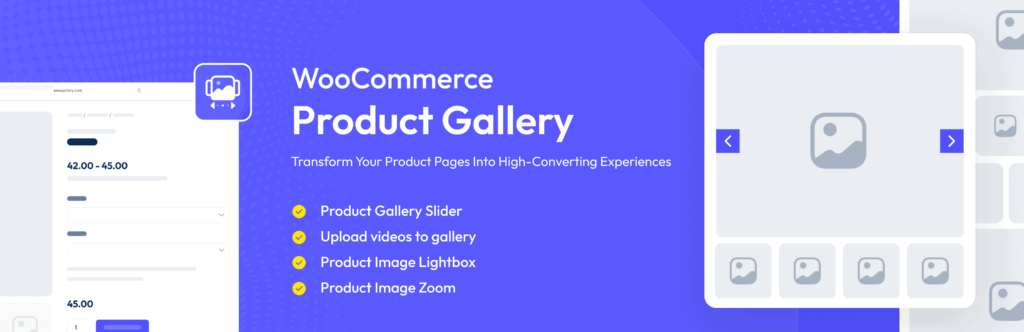
Easy Product Gallery helps you transform standard WooCommerce product pages into visually engaging, high-converting experiences. It’s designed to improve how customers interact with your product images, making browsing smoother, faster, and more persuasive.
Key Benefits of Easy Product Gallery
1. Conversion-Focused Layouts: The plugin offers modern gallery layouts that highlight your product’s best features, helping customers make quicker buying decisions.
2. Smooth Image Navigation: With responsive sliders, zoom options, and intuitive navigation, users can explore product details effortlessly—especially on mobile devices.
3. Performance Optimization: Fast-loading galleries ensure your pages remain lightweight, which improves both user experience and SEO rankings.
4. Mobile-First Experience: Since a large portion of WooCommerce traffic comes from mobile users, Easy Product Gallery ensures your images look and perform perfectly across all devices.
5. Easy Integration with WooCommerce: No complicated setup—install, configure, and start improving your product presentation instantly.
Why it works well with AI strategies
While Easy Product Gallery itself focuses on presentation and usability, it pairs perfectly with AI tools. You can use AI to:
- Select high-performing images
- Optimize image quality
- Personalize product displays
…and then showcase those improvements beautifully using Easy Product Gallery.
Conclusion: How AI Can Optimize Your WooCommerce Product Gallery for Higher Conversions
AI is reshaping how WooCommerce stores present products, turning ordinary galleries into intelligent systems that actively influence customer decisions. Instead of relying on fixed images and layouts, you can create an experience that adapts to each visitor and highlights what matters most.
When your gallery becomes smarter, everything improves. Visitors understand your products faster, feel more confident in their choices, and are more likely to complete a purchase. Small enhancements such as better image ordering, faster loading, and personalized visuals can have a surprisingly large impact on conversions.
What sets AI apart is its ability to continuously learn and improve. As more users interact with your store, your product gallery becomes more effective over time without requiring constant manual adjustments.
In a crowded eCommerce space, this kind of advantage is hard to ignore. Stores that embrace AI-driven galleries are not just improving design, they are building stronger customer experiences that lead directly to more sales.
If your goal is to increase conversions and stay competitive, upgrading your WooCommerce product gallery with AI is one of the smartest moves you can make right now.
