















- Welcome To EHB Checkout Field Manager
Ask Every Guest Exactly What You Need
- Ten Field Types
- Show, Hide Or Rename
- Drag The List Into Order
- An Email Tag Per Field
One List. Nine Built-In Fields, And However Many You Add.
Key Features
Ten Field Types, One Storage Format
Whatever you need to ask, there is a type for it — and every one of them stores a single string.
- Text, email, phone, number and date, each validated for what it is
- Text area for the answers that need room
- Dropdown and radio buttons, one stored_value : Label per line
- Paystack — cards, transfers, USSD and mobile money for Africa
- Checkbox, which stores 1 or nothing at all
- Headings that ask nothing and just break the form into sections
Full Control Over The Fields You Already Have
The nine native fields sit on the same list as yours, and answer to the same switches.
- Rename any label — the title is what the guest reads
- Switch a field off the checkout without deleting a thing
- Required is enforced in the browser and again on the server
- Placeholder and description text, per field
- Half a row or the full width, and drag the order into place
Answers Where You Need Them
The booking edit screen, booking emails and the customer account area — switchable per field, in any combination.
An Email Tag Per Field
Every field gets a tag such as {customer_arrival_time}, ready to paste into any EHB Email Template.
Nothing New In The Database
Answers sit in the booking's existing customer-details meta under the field's own name. No new table, no meta key per field.
Guard Rails That Say Why
Reserved names like coupon and gateway are refused, First Name and Email cannot be hidden, and Email is always required.
Why Use EHB Checkout Field Manager?
- No template overrides
- Built-in labels keep their translations
- Deactivate and the stock form returns
- Server-side validation included
- Existing bookings untouched
- Easy Hotel core stays untouched
How It Works
base class rather than seven times.
You Build The List
Add New, type a label, pick a type, set the width and whether it is required, then drag it into place among the built-in nine.
The Guest Fills It In
The checkout renders your fields with the built-in ones, in your order and at your widths. A missing required answer is caught in the browser, then checked again on the server.
The Answer Is Stored
Into the booking's customer-details meta, under the field's own name, right beside firstName and email. No new table and no per-field meta key.
It Shows Up Where You Chose
Booking edit screen, confirmation email, customer account area — or anywhere at all, by dropping the field's email tag into a template.
Perfect For
Hotels
Resorts
Guest Houses
Apartments
Villas
Vacation Rentals
Hostels
Bed & Breakfasts
Benefits
- Ask for what your property actually needs, while the guest is still booking
- Shorten the form by hiding the fields nobody on your team ever reads
- Rename any label to the words your front desk already uses
- Print any answer into a confirmation email with a single tag
- Change the form as often as the season does, with nothing to deploy
- Every answer already collected survives, whatever you change next
Requirements
- Easy Hotel Booking plugin, installed and active
- An Easy Hotel build that exposes the checkout-field hooks — the add-on stays quietly out of the way until it finds them
- Checkout Method set to Native Checkout under Settings → Booking
- WordPress 5.6 or newer, PHP 7.0 or newer
- The EHB Email Template add-on, only if you want field tags inside your emails


EHB Checkout Field Manager At Cost Effective Price
$29 / Yearly
- 1 Site Activation
- 1 Year of automatic updates
- 1 Year of Personalized Support
- Auto Synchronization
- 30 Day Money Back Guarantee
$49 / Yearly
- 5 Site Activation
- 1 Year of automatic updates
- 1 Year of Personalized Support
- Auto Synchronization
- 30 Day Money Back Guarantee
$79 / Yearly
- 100 Site Activation
- 1 Year of automatic updates
- 1 Year of Personalized Support
- Auto Synchronization
- 30 Day Money Back Guarantee
$199 / Lifetime
- 1 Site License
- All Upcoming Extensions and Themes
- Priority Support
- Auto Updates
- 30 Day Money Back Guarantee
$299 / Lifetime
- 5 Site License
- All Upcoming Extensions and Themes
- Priority Support
- Auto Updates
- 30 Day Money Back Guarantee
$499 / Lifetime
- 100 Site License
- All Upcoming Extensions and Themes
- Priority Support
- Auto Updates
- 30 Day Money Back Guarantee
$29 / Yearly
- 1 Site Activation
- 1 Year of automatic updates
- 1 Year of Personalized Support
- Auto Synchronization
- 30 Day Money Back Guarantee
$49 / Yearly
- 5 Site Activation
- 1 Year of automatic updates
- 1 Year of Personalized Support
- Auto Synchronization
- 30 Day Money Back Guarantee
$79 / Yearly
- 100 Site Activation
- 1 Year of automatic updates
- 1 Year of Personalized Support
- Auto Synchronization
- 30 Day Money Back Guarantee
$49 / Lifetime
- 1 Site Activation
- Lifetime of automatic updates
- Lifetime of Personalized Support
- Auto Synchronization
- 30 Day Money Back Guarantee
$79 / Lifetime
- 5 Site Activation
- Lifetime of automatic updates
- Lifetime of Personalized Support
- Auto Synchronization
- 30 Day Money Back Guarantee
$109 / Lifetime
- 100 Site Activation
- Lifetime of automatic updates
- Lifetime of Personalized Support
- Auto Synchronization
- 30 Day Money Back Guarantee
$229 / Lifetime
- 1 Site License
- All Upcoming Extensions and Themes
- Priority Support
- Auto Updates
- 30 Day Money Back Guarantee
$379 / Lifetime
- 5 Site License
- All Upcoming Extensions and Themes
- Priority Support
- Auto Updates
- 30 Day Money Back Guarantee
$499 / Lifetime
- 100 Site License
- All Upcoming Extensions and Themes
- Priority Support
- Auto Updates
- 30 Day Money Back Guarantee
Other Extensions
The other Extensions of this plugin
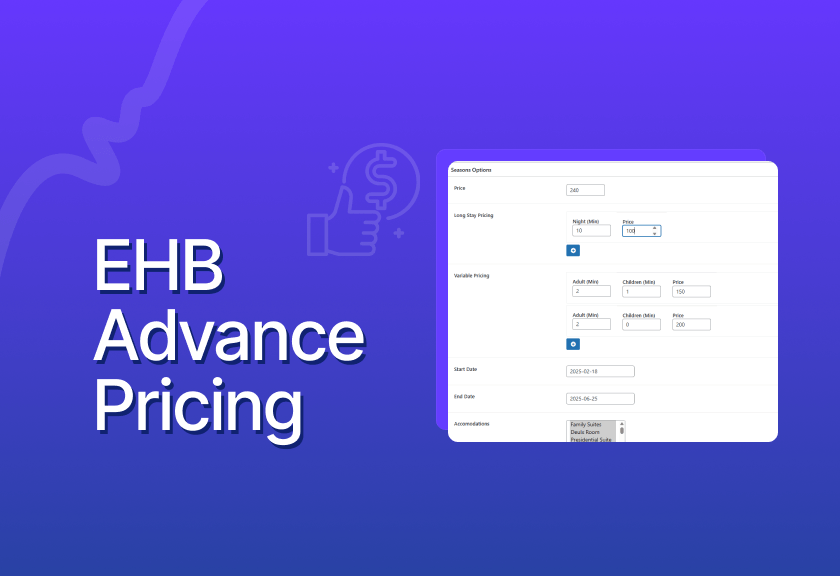
EHB Advanced Pricing
Easy Hotel Advanced Pricing Plugin — a complete, flexible pricing solution for Easy Hotel Plugin
from - $27.00

EHB Manual Booking
Easy Hotel Review plugin — manual booking solution for Easy Hotel.
from - $27.00

EHB iCal
Easy Hotel iCal Plugin — a complete iCal booking solution for the Easy Hotel Plugin