
















A WooCommerce store rarely underperforms because of one big problem. It underperforms because of a dozen small ones: product images that do not show enough detail, a search bar that returns nothing useful, invoices generated by hand at the end of every day, a product feed that keeps getting disapproved because prices are out of date, and a checkout that loads a second slower than it should. Individually, none of these feel urgent. Together, they decide whether a visitor becomes a customer and whether running the store stays manageable as order volume grows.
WooCommerce ships with a solid commercial core, but it deliberately leaves the specialised work to extensions. That is a strength as long as you choose carefully. The goal is not to install as many plugins as possible; it is to cover each function of the store once, with a tool that is actively maintained, performance-conscious, and compatible with the rest of your stack. Every plugin you add carries a cost in queries, scripts, and maintenance, so each one should earn its place by removing manual work, improving discovery, lifting conversions, or keeping you compliant.
Top 15+ Recommended Plugins to Optimize Your WooCommerce Store
Here are our recommended plugins to optimize your WooCommerce store. Let’s get the ball rolling on.
1. WooCommerce PDF Invoices, Packing Slips and Credit Notes
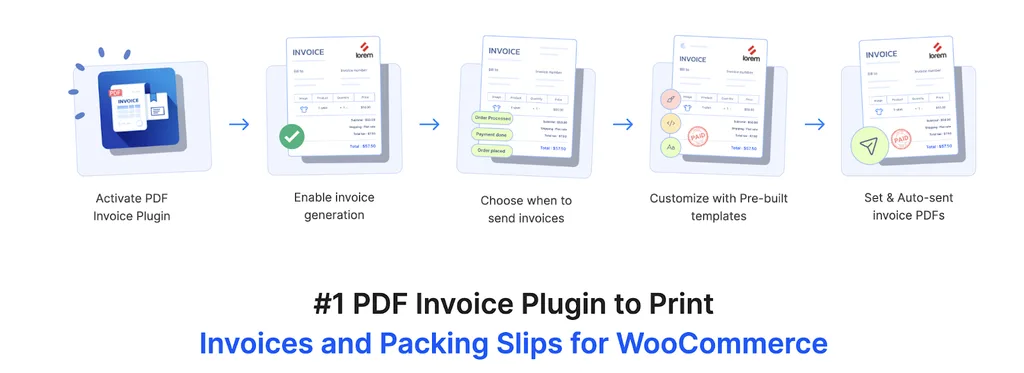
Order paperwork is the first place a growing store starts to leak time. WooCommerce records the order, but it does not produce a compliant invoice, a packing slip for the person picking the item, or a credit note when you issue a refund. This PDF invoices & Packing Slips for WooCommerce from WebToffee automates all of it. Invoices, packing slips, delivery notes, and shipping labels are generated automatically based on order status, and can be attached directly to the WooCommerce order emails a customer already receives. Credit notes are available through a separate Pro Add-on. Invoice numbering follows a proper sequence with prefixes, suffixes, and a configurable starting number, which matters in jurisdictions where sequential, gap-free invoice numbering is a legal requirement rather than a preference.
Where it pays off most is in day-to-day fulfilment and compliance. You can bulk-generate and print documents for a whole batch of orders from the order list instead of opening each one, add tax identifiers such as VAT, GST, or ABN numbers, display prices in the order currency, and produce documents in multiple languages including right-to-left scripts. Templates are customisable, and add-ons extend the same document engine to proforma invoices, picklists, address labels, and QR codes on invoices for countries that mandate them. A free version is available on WordPress.org, so you can validate the workflow before moving to the premium version for bulk printing, advanced customisation, and the full document set.
2. WooCommerce EasyGallery

The default WooCommerce product gallery is functional and not much more, which is a problem because for most stores the gallery is the product page. WooCommerce EasyGallery replaces it with a modern, responsive gallery slider built specifically for selling. You get a wide range of layouts, thumbnails positioned bottom, top, left, or right, slider and vertical scroll layouts, a two-column carousel, and several grid styles, so the gallery can be shaped around your product type rather than forcing every catalogue into the same template. Multiple zoom styles, including hover zoom, a zoom window, and inner zoom, let shoppers inspect fabric, finish, and detail closely, and a built-in lightbox with keyboard navigation and mobile swipe support opens images full screen without a separate plugin.
Two features in particular do real conversion work. The first is variation image galleries: you can assign a full set of images to each variant such as colour, size, or style, and the gallery updates automatically when the shopper switches variation, which removes the most common source of confusion on variable products. The second is video in the gallery, with support for YouTube, Vimeo, Dailymotion, Facebook, and self-hosted files displayed alongside the images, plus an interactive 360-degree view for products where angle matters, such as furniture and footwear. The plugin is responsive, supports RTL languages, offers a set of transition effects, and is built to keep product pages fast. A free version is available on WordPress.org with a pro upgrade for the full layout, zoom, and video feature set.
3. Product Import Export Plugin for WooCommerce
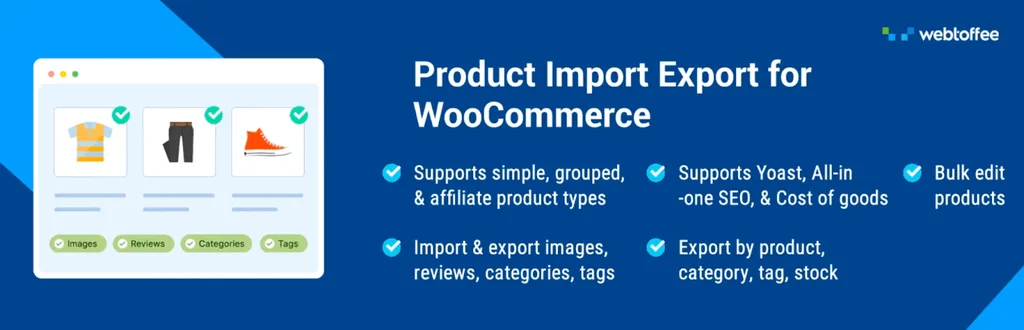
Most stores do not need to move orders, coupons, and subscriptions in bulk, but almost every store needs to move products. If the catalogue is the only data set giving you trouble, the dedicated WooCommerce Product Import Export plugin is the more focused and more affordable option than the full suite. It handles simple, variable, grouped, external or affiliate, and subscription products, and it imports and exports far more than the basic fields: product images and galleries, categories, tags, attributes and variations, custom taxonomies, SKUs, stock levels, pricing, and product reviews and ratings. Files can be CSV or XLS or XLSX, so a supplier price list or a marketplace export usually needs no reformatting before you use it.
The features that matter in practice are the ones that stop an import from doing damage. Automatic column mapping recognises common header names, advanced filters let you export a defined subset such as a single category, a stock status, or a price range, and update-on-import matches existing products by SKU or ID so a price refresh modifies your catalogue instead of duplicating it. Imports and exports can be scheduled through cron and pulled from an FTP or URL location, which is what turns nightly supplier stock and price synchronisation into a background job. The free version on WordPress.org handles basic CSV imports and exports and is worth installing first to confirm that your file structure and product data behave as expected, since the filtering, scheduling, and mapping controls described above belong to the premium build.
4. WP Rocket

Speed is not a vanity metric in a store. It affects crawl efficiency, ad quality scores, and, most directly, the number of people who abandon a page before it finishes rendering. WooCommerce is heavier than a standard WordPress site because carts, sessions, and dynamic pricing resist naive caching, which is exactly why the caching layer needs to be WooCommerce-aware. WP Rocket applies page caching, cache preloading, GZIP compression, and browser caching out of the box, and by default it excludes cart, checkout, and my-account pages from the cache so logged-in and mid-purchase sessions are never served stale content.
Beyond caching, it handles the front-end work that usually moves Core Web Vitals: lazy loading images and iframes, deferring and delaying JavaScript execution, removing unused CSS, and preloading critical resources, all of which pull directly at Largest Contentful Paint and Interaction to Next Paint on product and category pages. It is a premium-only plugin with no free tier, and it is not a substitute for decent hosting or a CDN, but it is the fastest route to a well-configured cache without hand-tuning server rules. Change one setting group at a time and re-measure with PageSpeed Insights and real field data, because aggressive JavaScript delay can occasionally break a third-party widget on checkout.
5. Smart Coupons for WooCommerce

Native WooCommerce coupons cover percentage and fixed discounts and stop there, which rules out most of the promotions that actually shift revenue. WordPress coupons plugin extends the coupon engine into a full promotions toolkit: buy-one-get-one deals, free product giveaways, store credit, gift cards, and bulk-generated unique codes you can email to a segment or export to CSV. Restrictions are where the real control sits, with rules based on user role, specific products or categories, cart contents, cart subtotal, purchase history, usage limits, and validity windows, so an offer applies exactly where you intend it to and not to the customers who would have bought anyway.
For optimisation work, the useful patterns are the ones tied to a number you are trying to move. Threshold offers such as free shipping or a gift above a set cart value raise average order value; unique single-use codes support win-back and abandoned cart campaigns without the code leaking to coupon aggregators; store credit turns a refund into retained revenue rather than a lost customer; and auto-applied coupons remove the friction of a code field entirely. Coupons can be scheduled, stacked selectively, and tracked by usage, which makes it straightforward to see which promotion actually paid for itself. The free version on WordPress.org covers URL coupons and basic BOGO rules, which is enough to run a first campaign and see whether discounting moves the number before you pay for store credit, bulk coupon generation, and advanced controls. Discounting is still the margin you are giving away, so treat each campaign as a test with a defined start, end, and success metric.
6. Rank Math SEO
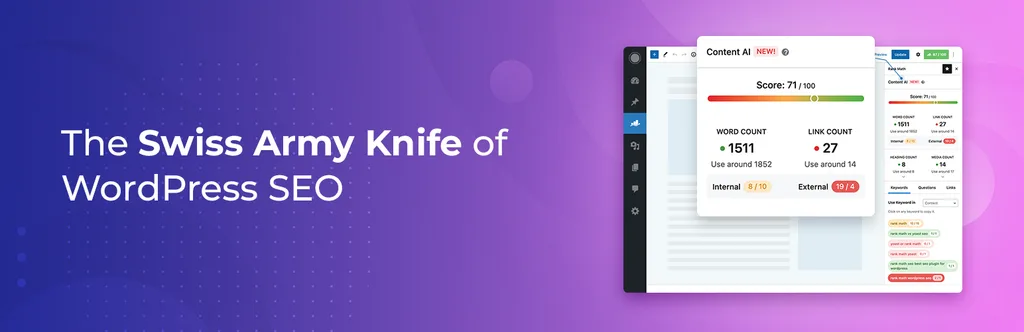
Organic search is usually the cheapest acquisition channel a store has, and WooCommerce does very little SEO work on its own. Rank Math handles the fundamentals across product and category pages: titles and meta descriptions with support for variables and bulk editing, XML sitemaps that include product images, canonical control, breadcrumbs, Open Graph and Twitter markup, plus a redirection manager and 404 monitor, which matter more on a store than a blog because discontinued products create broken URLs constantly. Google Search Console and Analytics integration brings impression and click data into the WordPress admin, where it can inform which product pages deserve attention.
The part worth configuring carefully is structured data. Rank Math outputs Product schema with price, availability, brand, SKU, and aggregate rating, which is what generates the price and star-rating enhancements in search results. The common failure is duplication: many themes and review plugins emit their own Product or AggregateRating markup, and two conflicting entities on one page can invalidate the whole block. Decide on a single source of schema, disable the others, and validate with Google’s Rich Results Test after any theme or plugin change. Rank Math’s free version is generous enough for most catalogues, with the premium tier adding keyword tracking and advanced schema templates.
7. WooCommerce Product Feed
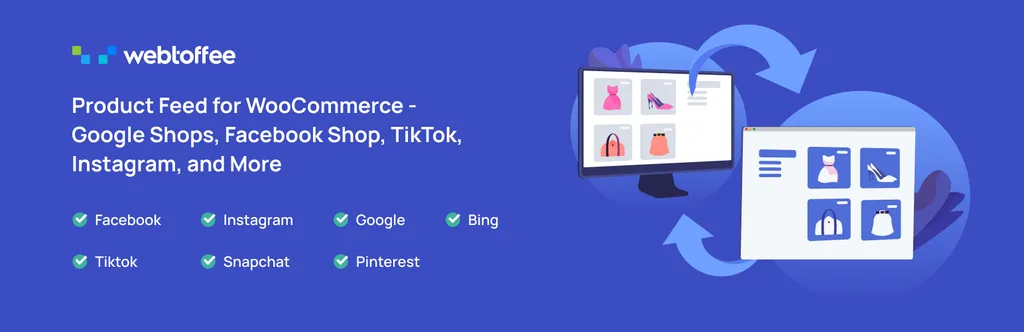
If you sell on any channel other than your own site, the product feed is the interface, and a bad feed quietly caps everything downstream. This WooCommerce Product Feed plugin generates unlimited feeds for Google Shopping, Facebook and Instagram Shops, TikTok, and Pinterest, with category mapping to each channel’s own taxonomy and attribute mapping for the required fields such as GTIN, brand, condition, MPN, availability, and shipping. Custom fields and per-feed filters let you build separate feeds for different product sets, for example one feed of high-margin lines for paid campaigns and a broader feed for free listings.
Scheduling is the feature that prevents most feed problems. Merchant Centre disapprovals are overwhelmingly caused by price or stock mismatches between the feed and the landing page, so refreshing feeds automatically on a schedule keeps your data aligned as prices change and items sell out. The plugin also includes a Facebook catalogue sync manager for keeping Meta Shops in step with WooCommerce rather than re-uploading files. Variable products are handled at variation level, which matters because size and colour variants need to compete individually in Shopping results. The free version on WordPress.org generates feeds for the major channels and is enough to get a first Merchant Centre submission approved before you add scheduling, catalogue sync, and the wider set of supported merchants. If you run any product-level advertising at all, feed hygiene delivers a better return than most bid adjustments.
8. FiboSearch

Shoppers who use site search convert at a markedly higher rate than those who browse, because searching is a statement of intent. WooCommerce’s default search does not reward that intent: it is slow, has no live suggestions, and does not even match SKUs. FiboSearch replaces it with an AJAX search bar that returns suggestions as the shopper types, complete with product thumbnails, prices, and short descriptions, and it searches titles, descriptions, SKUs, categories, and tags. A dedicated mobile search mode and a details panel with an add-to-cart button shorten the path from query to cart, and the bar can be placed by shortcode, widget, block, menu item, or one-click theme replacement.
The free version is genuinely usable, and the Pro version adds an inverted-index search engine built for large catalogues, along with fuzzy matching for typos and searching inside attributes, brands, and custom fields including ACF. The feature most store owners underuse is search analytics: the report of queries that returned no results is a direct list of products customers expect you to stock, terms your titles do not use, and synonyms worth adding. Fixing that list improves both merchandising and on-page keyword coverage, which makes FiboSearch quietly useful for SEO as well as conversion.
9. GDPR Cookie Consent Plugin for WordPress
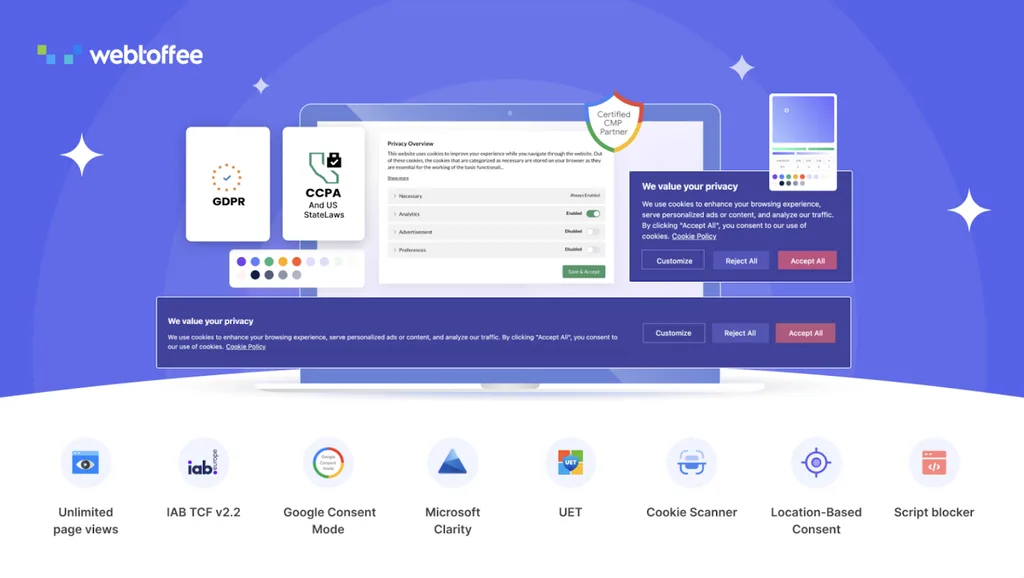
Privacy compliance stopped being a legal footnote once analytics and advertising platforms started depending on consent signals. WebToffee’s GDPR Cookie Consent plugin covers GDPR, CCPA, and other major privacy laws with a fully customisable consent banner, granular opt-in and opt-out by cookie category such as analytics, marketing, and functional, prior blocking of third-party scripts until consent is given, an automatic cookie scanner, consent logs for audit purposes, and geo-targeting so visitors see the notice appropriate to their region. It also supports legitimate-interest consent and can list registered third-party vendors transparently.
For a store, the practical value goes beyond avoiding a fine. As a Google-certified CMP with support for Google Consent Mode and IAB TCF frameworks, it lets Google Ads and Analytics receive properly structured consent states instead of nothing at all, which preserves conversion modelling and audience building for the visitors who do consent. Cookie policy generation and multilingual banners save further work. Two configuration notes: place and size the banner so it does not cause layout shift on first paint, and check that consent-gated scripts fire correctly once accepted, because a misconfigured block will silently cost you conversion tracking data.
10. Wordfence Security

Stores are a higher-value target than content sites because they process payments and store customer data, and the attacks that matter are rarely sophisticated. Credential stuffing against customer accounts, brute-force attempts on the login page, and vulnerable plugin versions account for most incidents. Wordfence provides an endpoint web application firewall with rules updated for known WordPress and WooCommerce vulnerabilities, a malware scanner that compares core, theme, and plugin files against official versions and flags injected code, rate limiting to slow scrapers and bots, and login security with two-factor authentication and CAPTCHA support.
The specific threat worth understanding is a card skimmer: malicious JavaScript injected into checkout that captures payment details while the store keeps working normally. This is the kind of change file-integrity scanning and change alerts catch early, which is why running scans on a schedule and actually reading the alerts matters more than the plugin’s settings. Wordfence is not a complete security posture on its own. Keep it alongside off-site backups, prompt plugin updates, strong administrator credentials, and a payment gateway that keeps card data off your server entirely, so that a compromise costs you cleanup rather than customer card numbers.
11. WooCommerce Product Recommendations
Raising average order value is almost always cheaper than raising traffic, and recommendations are the most direct lever. This WooCommerce Product Recommendations plugin generates recommendation widgets automatically and lets you place them strategically across the store: related products, bestsellers, top-rated items, frequently bought together, new arrivals, and recently viewed products. Because the widgets are generated from store data rather than hand-curated lists, they keep working as your catalogue and sales patterns change, which is where manually maintained upsell fields usually fall apart.
Placement is what determines the return. Frequently bought together belongs on the product page near the add-to-cart button, complementary items work well on the cart page where the shopper has already committed, recently viewed helps returning visitors resume where they left off, and bestsellers give new visitors a low-risk entry point on category pages and the homepage. Display rules and manual overrides let you keep out-of-stock or low-margin products out of the rotation. Judge the results on revenue per visitor and average order value rather than clicks on the widget, and be disciplined about how many blocks you add, since stacking four recommendation carousels on one page adds weight and dilutes attention.
12. Judge.me Product Reviews

Reviews are the cheapest conversion asset a store can build, and WooCommerce’s built-in comments-based reviews collect very few of them because nothing asks the customer. Judge.me automates the request: post-purchase review emails timed to delivery, reminders, and incentives, with support for photo and video reviews that carry far more weight than text alone. Review widgets can be placed on product pages, as a carousel on the homepage, and as star ratings in listings, and questions-and-answers functionality lets prospective buyers see answers to the objections that were blocking them.
The SEO benefit comes from aggregate rating markup that can produce star ratings in search results, but this needs coordinating with your SEO plugin so only one source emits a review schema for a page. Review syndication across stores selling the same products, import from other platforms, and multilingual support round it out, and the free tier is unusually capable for a small store. Two practices matter more than the plugin: request reviews from every order rather than a subset, and publish the critical ones. A product page with a handful of three-star reviews alongside the fives reads as credible in a way that a wall of perfect scores does not.
13. WooCommerce Gift Cards

Gift cards are one of the few products with genuinely favourable economics: you collect cash immediately, redemption happens later, a share is never redeemed at all, and the redeemer is frequently a new customer acquired at no media cost. This WooCommerce Gift Cards plugin lets you create and sell both digital and physical gift cards in WooCommerce, with customisable designs and templates, personalised messages, scheduled delivery on a chosen date, and automated emails to the recipient. Customers can buy, redeem, and share cards from the storefront without admin involvement.
Operationally, the details are what keep it from becoming a support burden. Partial redemption with a running balance, balance checking for recipients, expiry rules, and per-card usage tracking mean the ledger stays clear when a customer spends a card across three orders. The commercial cases are seasonal peaks where gift cards capture the last-minute buyers who cannot decide, and refunds and service recovery where issuing a card retains the revenue instead of returning it. Paired with Smart Coupons for store credit and with the invoicing plugin for correct documentation of card sales and redemptions, it fits cleanly into an existing WebToffee stack.
14. ShortPixel Image Optimizer

Product images are the largest payload on almost every store page, and a rich gallery makes that worse. ShortPixel compresses images automatically on upload and in bulk across the existing media library, converts to modern formats such as WebP and AVIF while keeping fallbacks for older browsers, resizes oversized originals to sensible maximum dimensions, and strips unnecessary metadata. Three compression levels let you trade file size against fidelity, and originals are backed up so a bad setting is always reversible.
On a catalogue of any size this is one of the highest-leverage performance changes available, because the Largest Contentful Paint element on a product page is nearly always the main product image. Combining format conversion with correct dimensions and lazy loading typically cuts page weight substantially without a visible quality drop. For photography-heavy stores, test the glossy or lossless levels on a few representative products before running a bulk pass, since aggressive compression shows first on fabric texture, gradients, and fine detail. It works alongside a gallery plugin and a caching layer rather than replacing either, and an optional CDN handles delivery if your host does not.
15. Sequential Order Numbers for WooCommerce
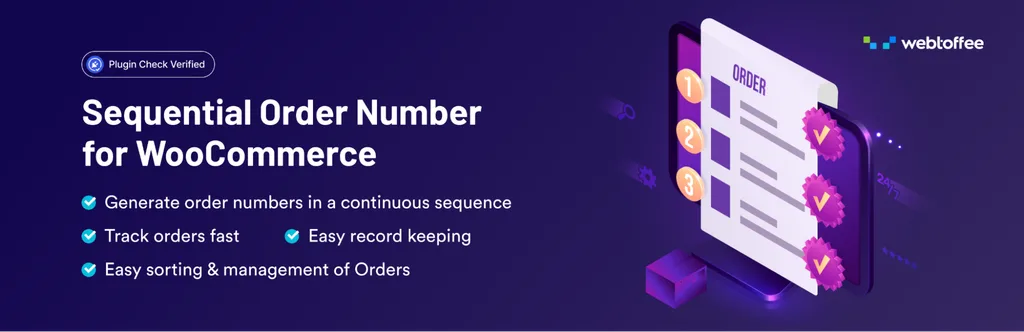
WooCommerce assigns order numbers from the WordPress post ID sequence, which means they arrive with gaps and jump unpredictably as pages, products, and revisions are created. That is fine technically and awkward everywhere else: reconciling with accounting software, quoting a number to a customer on the phone, or filing in a country whose tax rules expect continuous numbering. This Sequential Order Numbers for WooCommerce plugin replaces those IDs with clean sequential numbers and lets you build a format from prefixes, suffixes, dates, and custom fields, set the starting number, control the increment, and reset the sequence daily, monthly, or yearly.
The operational payoff is small per order and significant in aggregate. Support agents find orders faster, warehouse staff can read numbers aloud without transcription errors, and finance can spot a missing record because the sequence itself shows the gap. Rules can be applied retroactively to existing orders so your history is consistent rather than split at the install date, and separate formats for different order types keep, for example, subscription renewals distinguishable from one-off purchases. It works alongside the WebToffee invoicing plugin, so order numbers and invoice numbers can follow deliberate, separate schemes instead of accidental ones.
16. TranslatePress

Expanding into a second language is often the largest untapped demand a store has, particularly for anyone selling into the EU, where shoppers strongly prefer buying in their own language. TranslatePress takes a visual approach: you translate directly on the front end of the page, seeing exactly where each string appears, which makes it far easier to handle the awkward fragments a store is full of, button labels, shipping notices, variation names, checkout field text, and WooCommerce transactional emails. It translates output rather than requiring duplicate product entries, so your catalogue stays in one place.
For search visibility, the SEO add-on handles translated page slugs, meta information, and hreflang tags, which is what allows each language version to rank in its own market instead of competing with the original. Automatic translation through DeepL or Google Translate gives you a working draft quickly, and you refine the pages that matter, product titles, descriptions, and checkout copy, by hand. Translate the transactional path first: product page, cart, checkout, and order emails. A translated homepage with an English checkout loses exactly the customers you paid to attract, which is also worth checking against your currency and product feed setup for each target market.
Conclusion
Optimising a WooCommerce store is less about finding a single transformative plugin and more about closing gaps in a defined order. Start with the foundation, because everything else is measured through it: speed, security, image weight, and consent handling. A fast, safe store with working analytics gives you reliable data to make every later decision, whereas a slow store with broken conversion tracking makes all of your other work unmeasurable.
With the foundation in place, work on discovery and conversion. Search, galleries, reviews, and recommendations are the tools that turn existing traffic into orders, and they are almost always a better first investment than more traffic, because they improve the return on every visitor you already pay for. Product feeds and SEO come next, extending that improved store experience into the channels where new demand is found. Finally, address operations. Invoicing, sequential order numbering, data import and export, coupons, and gift cards do not increase conversion directly, but they are what keeps a growing store from consuming all of your time in manual work and what keeps you compliant as you sell into more regions.
