
















Looking for the best way to turn a WordPress website into an iOS and Android app? In 2026, WordPress site owners no longer need to start from scratch with a mobile app. Modern app builders can connect to an existing WordPress website, transform its content and functionality into a mobile experience, and help publish apps to the Apple App Store and Google Play.
Among the available solutions, AppNatively, AppPresser, and ZenAppBuilder stand out for different reasons.
For most WordPress businesses looking for a flexible, visual, native app-building platform, AppNatively is the strongest overall choice in 2026 and beyond. AppPresser is a mature option with a strong WordPress plugin ecosystem, while ZenAppBuilder is an emerging alternative focused on visual app creation and WordPress synchronization.
Quick Answer: What Is the Best WordPress App Builder in 2026?
AppNatively is the best overall iOS and Android app builder for WordPress in 2026 because it combines visual native app development, WordPress integrations, custom APIs, real-time preview, OTA updates, push notifications, app publishing, and AI-assisted development through its MCP Server.
The other two platforms have their own strengths:
- AppNatively: Best overall for flexible native apps, eCommerce, directories, bookings, and AI-assisted app development.
- AppPresser: Best for established WordPress users who need deep integrations with WooCommerce, BuddyPress, LearnDash, memberships, and other WordPress functionality.
- ZenAppBuilder: Best for WordPress users who want a simple visual builder with WordPress synchronization and lifetime pricing.
Comparison at a Glance: Best iOS & Android App Builders for WordPress
| Feature | AppNatively | AppPresser | ZenAppBuilder |
|---|---|---|---|
| iOS apps | ✓ | ✓ | ✓ |
| Android apps | ✓ | ✓ | ✓ |
| Visual app builder | ✓ | ✓ | ✓ |
| Drag-and-drop building | ✓ | ✓ | ✓ |
| WordPress integration | ✓ | ✓ | ✓ |
| WooCommerce | ✓ | ✓ | Not yet |
| Directory websites | ✓ | Limited | Not yet |
| Booking websites | ✓ | Custom/Plugin dependent | Not yet |
| Custom APIs | ✓ | Custom development | Limited |
| Real-time preview | ✓ | ✓ | ✓ |
| OTA updates | ✓ | Not a core focus | Automatic content sync |
| Push notifications | ✓ | ✓ | ✓ |
| AI-assisted app building | ✓ | Not a core feature | Not a core feature |
| MCP Server | ✓ | ✗ | ✗ |
| App Store publishing | ✓ | ✓ | ✓ |
| Google Play publishing | ✓ | ✓ | ✓ |
| No-code workflow | ✓ | ✓ | ✓ |
| Lifetime option | Available for short time | Subscription | ✓ |
| Best for | Businesses, agencies, eCommerce, directories | WordPress power users | Simple WordPress apps |
Feature availability can change as these platforms release new versions and integrations.
1. AppNatively: Best Overall WordPress App Builder
AppNatively is an AI-powered native app builder that turns websites into installable iOS and Android apps without requiring traditional mobile development.
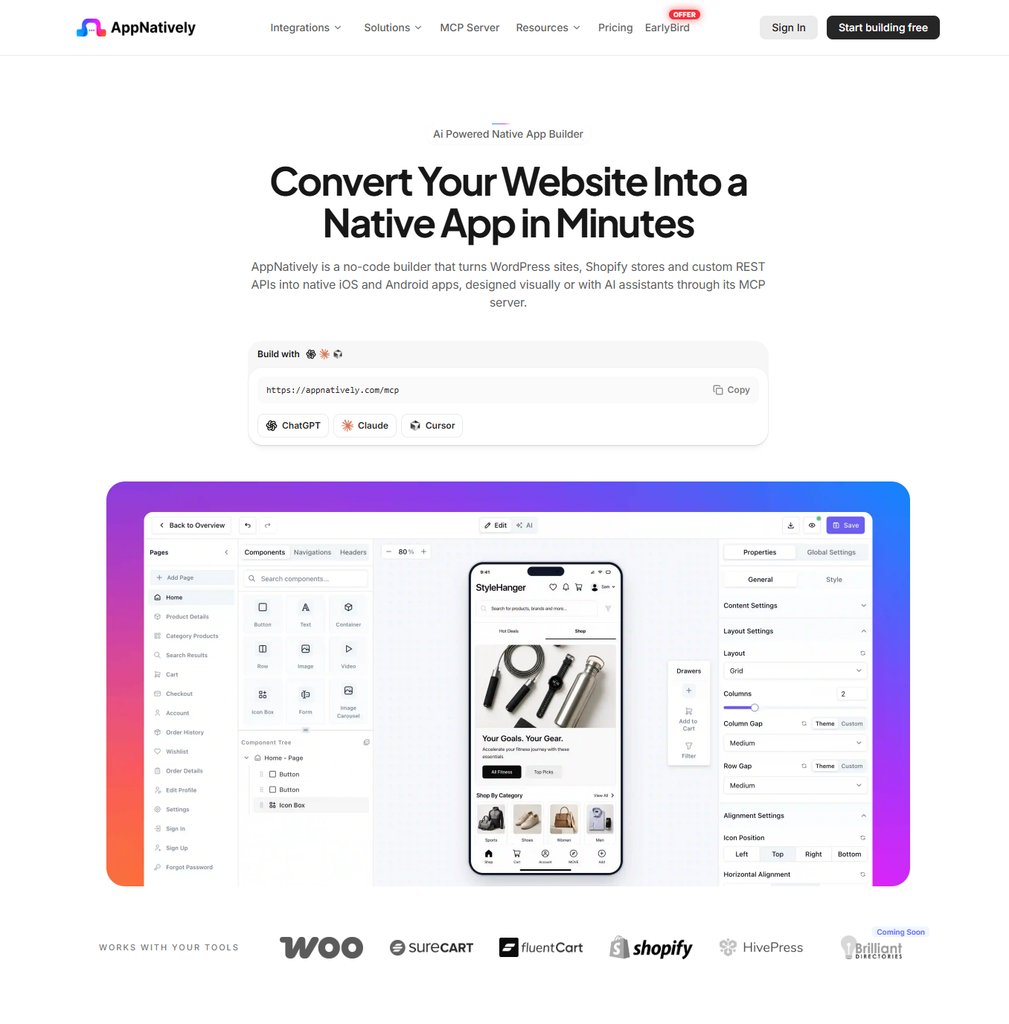
Instead of rebuilding a business from scratch, users can connect their existing website, design mobile screens visually, connect business data, preview the app, build it, and publish it to the App Store and Google Play.
AppNatively currently supports WordPress use cases including eCommerce, directories, bookings, and custom API-based applications. Its ecosystem includes integrations such as WooCommerce, SureCart, FluentCart, Directorist, GeoDirectory, HivePress, Firebase, and more.
Why AppNatively Ranks #1
The biggest difference is that AppNatively is not simply focused on displaying a WordPress website inside a mobile wrapper.
It provides a visual system for creating native mobile app experiences using mobile-focused components, layouts, integrations, and app functionality.
Visual Native App Builder
AppNatively provides a visual builder where users can create and customize app screens using components and real-time previews.
That makes it suitable for business owners, agencies, developers, and WordPress professionals who want more control over the mobile experience without building everything with native code.
WordPress to Native App
A WordPress website can be connected to AppNatively and transformed into an installable mobile application.
The platform is designed to work with different types of WordPress businesses, including:
- WooCommerce stores
- Directory websites
- Booking websites
- Membership websites
- Content websites
- Service businesses
- Custom WordPress applications
AppNatively’s documentation describes the process as turning an existing WordPress site into an installable iOS and Android app without writing code.
Strong eCommerce Support
For WooCommerce businesses, the ability to provide a dedicated mobile shopping experience can be particularly valuable.
Instead of sending mobile visitors through a browser every time they want to interact with a store, a native app can provide a dedicated environment for browsing products, shopping, receiving notifications, and returning to the store.
AppNatively also supports other commerce platforms and APIs, making it useful for businesses that are not exclusively tied to WordPress.
Directory and Booking Apps
One area where AppNatively has a particularly strong advantage is its focus beyond traditional WordPress content websites.
A directory owner can build mobile experiences around:
- Listings
- Search
- Filters
- Maps
- Categories
- User accounts
- Listing details
- Location-based experiences
Similarly, booking businesses can create app experiences around their existing website and connected data.
This makes AppNatively relevant to businesses where the mobile app needs to behave more like a dedicated product than a simple content reader.
MCP Server: A Major Differentiator
One of AppNatively’s most notable developments for 2026 is its MCP Server.
The AppNatively MCP Server allows compatible AI clients to interact with an actual AppNatively project. Instead of simply generating code or suggesting an app design, an AI agent can read the existing project and make changes to pages, sections, components, navigation, layouts, and configurations.
For example, a user can ask an AI assistant to:
Add a search bar to the app header and move the cart and wishlist icons beside it.
The AI can then work with the existing AppNatively project rather than simply returning a block of code.
This creates a different workflow:
Ask AI → Modify the real app → Preview → Refine visually → Build → Publish
For WordPress businesses planning to use AI as part of their product-development workflow, this gives AppNatively a significant edge.
OTA Updates
AppNatively also supports over-the-air updates. According to its current product information, changes can be delivered to users without requiring a new App Store or Google Play review for every supported app-content or configuration update.
This can be useful for businesses that frequently update:
- App content
- Screens
- Layouts
- Promotions
- Navigation
- User experiences
Push Notifications
Push notifications allow businesses to communicate directly with app users.
AppNatively supports push campaigns through Firebase, including messages with titles, images, and deep links.
For an eCommerce store, that could mean sending a new-product announcement.
For a directory, it could mean notifying users about new listings.
For a booking platform, it could mean communicating booking-related updates.
Real-Time Mobile Preview
AppNatively also provides AppNatively Go, which allows users to preview changes on a real device through a QR-code-based workflow.
This is useful because app design is easier to evaluate when viewed on an actual phone rather than only inside a desktop browser.
Who Should Choose AppNatively?
AppNatively is a strong fit for:
- WooCommerce store owners
- Directory website owners
- Booking businesses
- WordPress agencies
- SaaS founders
- App developers
- Businesses using custom APIs
- Entrepreneurs who want AI-assisted app development
- Businesses that need frequent app updates
AppNatively Pros
- Native iOS and Android app building
- Visual drag-and-drop workflow
- WordPress integration
- WooCommerce support
- Directory-focused integrations
- Custom API connectivity
- Push notifications
- OTA updates
- Real-time mobile preview
- App Store and Google Play publishing
- MCP Server
- AI-assisted app modification
- Suitable for agencies and multiple business types
AppNatively Cons
- Some advanced features may require learning the platform
- Need more integrations in the WordPress ecosystem
Best for: WordPress businesses that want a flexible, modern native app builder with visual customization and AI-powered development capabilities.
2. AppPresser: Best for Established WordPress Plugin Ecosystems
AppPresser is a long-established WordPress-focused platform for creating iOS and Android apps from WordPress websites.
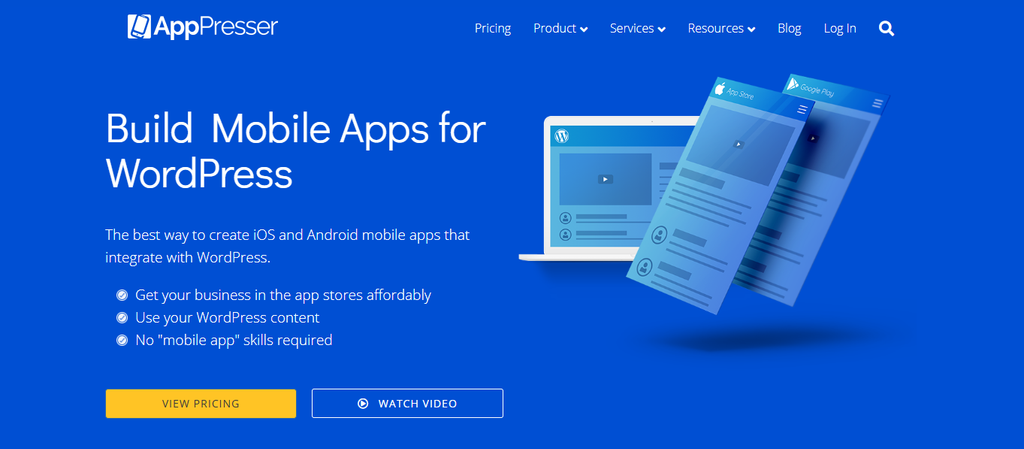
Its approach is particularly attractive to WordPress users who already rely heavily on plugins such as WooCommerce, BuddyPress, BuddyBoss, LearnDash, and membership systems.
AppPresser provides a visual app customizer, live preview, device testing, push notifications, login and registration, offline content, camera functionality, translations, maps, analytics, and other mobile capabilities.
WordPress Plugin Integration
One of AppPresser’s biggest advantages is its established WordPress ecosystem.
Its official feature documentation lists support for use cases such as:
- WooCommerce
- BuddyPress
- BuddyBoss
- LearnDash
- Membership websites
- Podcasts
- Schools
- Churches
- Events
- Nonprofits
- Small businesses
This makes AppPresser particularly interesting for WordPress websites where the app needs to reflect complex existing WordPress functionality.
Visual App Customizer
AppPresser uses a visual customization system that lets users select app pages, customize the experience, and preview changes while designing.
The interface is designed to be familiar to WordPress users, making the learning curve easier for people already comfortable with the WordPress Customizer.
Push Notifications
Push notifications are another important AppPresser feature.
Users can send notifications through WordPress, the AppPresser dashboard, or its API. It also supports notification events for certain WordPress-based interactions.
Offline Features
AppPresser supports offline pages and downloadable media, which can be useful for apps where users need access to selected content without an active internet connection.
Pricing Model
AppPresser currently uses subscription-based pricing. Its listed plans include iOS and Android apps, push notifications, WooCommerce, BuddyPress/BuddyBoss, LearnDash, app-store submission setup, and other features depending on the plan. The current listed Standard plan starts at $59 per month when billed annually, while higher tiers provide additional capabilities and app capacity.
AppPresser also offers a 14-day free trial.
Who Should Choose AppPresser?
AppPresser is a good option for WordPress users who:
- Already use several WordPress plugins
- Run membership websites
- Use BuddyPress or BuddyBoss
- Run LearnDash websites
- Need WooCommerce integration
- Want established WordPress-specific functionality
- Prefer a subscription platform with support
AppPresser Pros
- Established WordPress-focused platform
- WooCommerce support
- BuddyPress/BuddyBoss support
- LearnDash support
- Push notifications
- Offline content
- Login and registration
- Visual app customization
- iOS and Android support
- App Store submission support
AppPresser Cons
- Subscription-based pricing
- Advanced capabilities can depend on plans or custom development
- Less focused on AI-native app development than newer platforms
- Custom functionality may require development services
Best for: WordPress users who need established integrations with complex WordPress plugins and prefer a mature WordPress-focused platform.
3. ZenAppBuilder: Best for Simple WordPress App Building
ZenAppBuilder is a newer WordPress app-building platform focused on turning WordPress websites into mobile apps through a visual drag-and-drop workflow.
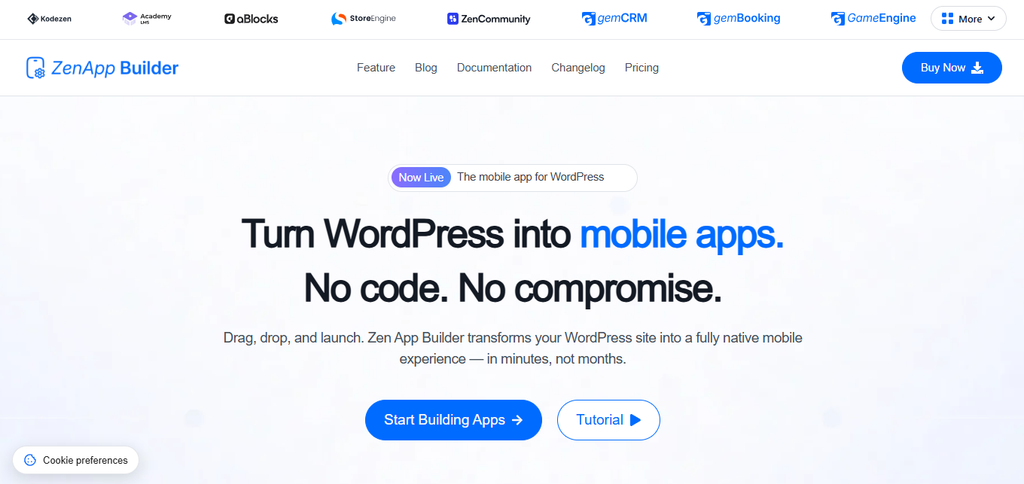
Its approach is straightforward:
Connect WordPress → Design the app → Preview → Publish
ZenAppBuilder says users can connect a WordPress website, synchronize content, customize app screens visually, preview the result on a real phone, and submit the app to the App Store and Google Play.
Visual Drag-and-Drop Builder
ZenAppBuilder provides a mobile-focused block editor for creating app screens.
Users can arrange layout blocks, components, and content zones visually rather than developing the entire mobile interface manually.
WordPress Synchronization
One of ZenAppBuilder’s key features is live WordPress synchronization.
The platform states that app content is pulled directly from WordPress, allowing content published on the website to appear in the app without manually rebuilding the app for every content update.
Real-Time Preview
ZenAppBuilder also provides real-time preview functionality so users can see changes reflected in a phone-based preview while designing the application.
WooCommerce and Other Integrations
ZenAppBuilder is building integrations around the WordPress ecosystem.
Its current website lists Academy LMS as a live integration and identifies integrations such as WooCommerce and ZenCommunity as coming soon.
This makes ZenAppBuilder particularly interesting for WordPress users who want a newer platform and are comfortable with an evolving integration ecosystem.
Lifetime Pricing
ZenAppBuilder takes a different approach to pricing from AppPresser.
Its current pricing page lists lifetime plans:
- Starter: $99 lifetime for 1 WordPress site
- 10 Site: $149 lifetime for 10 WordPress sites
- Unlimited Sites: $299 lifetime
The plans include unlimited app building and the platform’s listed Pro features.
Who Should Choose ZenAppBuilder?
ZenAppBuilder can be a good fit for:
- WordPress beginners
- Freelancers
- Agencies
- Website owners who want a straightforward app builder
- Users interested in lifetime pricing
- Businesses with simpler WordPress-based mobile requirements
ZenAppBuilder Pros
- Visual drag-and-drop builder
- WordPress synchronization
- Real-time preview
- iOS and Android support
- App Store and Google Play publishing
- Lifetime pricing options
- Academy LMS integration
- Simple workflow
ZenAppBuilder Cons
- Younger platform
- Smaller integration ecosystem than established competitors
- Several integrations are still listed as coming soon
- Advanced custom API and AI workflows are less prominent
Best for: WordPress users who want a simple visual app-building experience and prefer lifetime pricing.
Which WordPress App Builder Is Best for You?
The answer depends on your website, business model, and how much control you want over the mobile experience.
Choose AppNatively if:
You want a modern native app platform with visual design, WordPress integrations, custom APIs, push notifications, OTA updates, and AI-assisted development.
It is particularly strong for WooCommerce, directories, bookings, and businesses that need more than a simple website-to-app conversion.
Choose AppPresser if:
Your WordPress website relies heavily on established plugins such as WooCommerce, BuddyPress, BuddyBoss, LearnDash, or membership functionality.
AppPresser is especially appealing when your existing WordPress ecosystem is the foundation of your mobile application.
Choose ZenAppBuilder if:
You want a simple visual builder, WordPress synchronization, and a lifetime pricing model.
It is worth considering for smaller businesses, freelancers, and agencies that want a straightforward path from WordPress website to mobile app.
What Should You Look for in a WordPress App Builder in 2026?
Choosing an app builder based only on whether it supports iOS and Android is no longer enough.
Here are the most important factors to consider.
1. Native App Experience
Look for a platform that can create a genuine mobile experience rather than simply placing your website inside a mobile container.
The app should be designed around mobile navigation, touch interactions, performance, notifications, and device capabilities.
2. WordPress Integration
The app builder should work with the WordPress ecosystem you already use.
For example, a WooCommerce store needs more than basic WordPress post synchronization. It may need products, variations, carts, customer accounts, checkout, orders, and other commerce functionality.
3. Visual Customization
A good mobile app builder should allow you to control:
- Navigation
- Screens
- Components
- Layouts
- Typography
- Branding
- Buttons
- Content
- Visibility rules
- User flows
This is where visual builders can be much faster than traditional app development.
4. Push Notifications
Push notifications can turn a mobile app from another content channel into an active customer-engagement channel.
Look for support for targeted notifications, deep links, campaigns, and automated events.
5. OTA Updates
Without OTA updates, even small app changes may require rebuilding and submitting a new app version.
OTA functionality can make ongoing app management considerably easier.
6. API Support
WordPress plugins cannot cover every business requirement.
Custom API support becomes important when you want to connect:
- SaaS products
- CRM systems
- Booking platforms
- Custom databases
- External services
- Internal business tools
7. AI Support
AI is becoming an important part of app development.
However, there is a major difference between an AI tool that generates code and an AI system that understands and modifies an existing app project.
AppNatively’s MCP Server is an example of the second approach, allowing compatible AI clients to inspect and modify an actual AppNatively project.
Final Verdict: Which WordPress App Builder Should You Choose?
The WordPress app-builder market is moving beyond simple website-to-app conversion.
Businesses now want native mobile experiences, visual customization, real-time data, push notifications, continuous updates, API connectivity, and AI-assisted development.
Based on those requirements, our ranking for 2026 is:
🥇 1. AppNatively
Best overall for modern WordPress apps
AppNatively stands out because it combines a visual native app builder with WordPress integrations, WooCommerce, directory support, custom APIs, push notifications, OTA updates, real-time preview, and its MCP Server for AI-assisted app development.
It is particularly well suited to businesses that want to build a mobile product rather than simply package their website as an app.
🥈 2. AppPresser
Best for established WordPress plugin ecosystems
AppPresser remains a strong option for WordPress users who rely on WooCommerce, BuddyPress, BuddyBoss, LearnDash, memberships, and other established WordPress functionality.
Its long-standing WordPress focus makes it a compelling choice for complex WordPress websites.
🥉 3. ZenAppBuilder
Best for simple visual app building and lifetime pricing
ZenAppBuilder brings a newer approach to WordPress app development with visual editing, real-time preview, WordPress synchronization, and lifetime plans.
Its ecosystem is still developing, but it can be an attractive option for users who value simplicity and lifetime access.
The Bottom Line
If your goal is simply to get your WordPress website into an app store, several platforms can help.
But if you want to build a modern iOS and Android app that can evolve with your business, the platform you choose should provide more than website synchronization.
For 2026 and beyond, AppNatively takes the edge with its combination of native app building, visual customization, WordPress and business integrations, OTA updates, push notifications, custom APIs, and AI-powered MCP capabilities.
The future of WordPress apps is not just about putting websites on phones. It is about giving businesses a dedicated mobile product that can be continuously designed, improved, and managed.
Frequently Asked Questions (FAQs)
What is the best app builder for WordPress in 2026?
AppNatively is the best overall WordPress app builder in 2026 for businesses looking for a flexible native iOS and Android app platform with visual customization, WordPress integrations, push notifications, OTA updates, custom APIs, and AI-assisted development.
AppPresser is a strong alternative for complex WordPress plugin ecosystems, while ZenAppBuilder is a newer option focused on simple visual app creation and lifetime pricing.
Can I turn my WordPress website into an iOS app?
Yes. Platforms such as AppNatively, AppPresser, and ZenAppBuilder allow WordPress website owners to create iOS applications without developing the entire app from scratch.
Can I turn my WordPress website into an Android app?
Yes. All three platforms covered in this guide support Android app development.
What is the easiest WordPress app builder?
For users who want a visual no-code workflow, AppNatively and ZenAppBuilder offer straightforward visual building experiences. AppPresser is also designed for WordPress users and provides a familiar visual customization workflow.
Can I build a WooCommerce mobile app without coding?
Yes. AppNatively and AppPresser support WooCommerce-based mobile applications. ZenAppBuilder currently lists WooCommerce integration as coming soon.
Can a WordPress app send push notifications?
Yes. AppNatively and AppPresser both support push notifications, while ZenAppBuilder also includes notifications among its mobile app capabilities.
Can I publish a WordPress app to the App Store and Google Play?
Yes. AppNatively, AppPresser, and ZenAppBuilder provide workflows for publishing mobile applications to Apple’s App Store and Google Play.
Which WordPress app builder is best for WooCommerce?
AppNatively and AppPresser are the strongest choices among these three for WooCommerce in 2026. Both have WooCommerce support, while ZenAppBuilder currently lists its WooCommerce integration as coming soon.
Which WordPress app builder is best for directory websites?
AppNatively is the strongest choice for directory websites among these three. Its ecosystem includes directory-focused integrations such as Directorist, GeoDirectory, and HivePress, making it particularly suitable for businesses where listings, search, filters, maps, and directory data are central to the app experience.
Which WordPress app builder supports MCP?
AppNatively currently offers an MCP Server. It allows compatible AI clients to connect to an AppNatively project and create or modify pages, components, navigation, layouts, and other project elements through natural-language instructions.
Are WordPress app builders better than custom app development?
Not always.
Custom development provides maximum control but usually requires more time, technical expertise, and budget.
A WordPress app builder can be a better choice when you want to launch faster, reuse existing website data, reduce development work, and maintain the app without managing an entire mobile development team.
