
















Creating forms on a WordPress website shouldn’t feel like assembling a complicated puzzle. Whether you’re building a simple contact form, collecting leads, accepting job applications, or running customer surveys, a reliable form builder can save hours of work.
For years, WordPress users have relied on well-known plugins that often come with either outdated interfaces, feature limitations, or unnecessary performance overhead. As websites continue to prioritize speed and user experience, many site owners are looking for alternatives that feel modern without sacrificing functionality.
That’s where BoldForm enters the picture.
BoldForm is a drag-and-drop WordPress form builder designed to combine ease of use with advanced functionality. Instead of overwhelming users with complicated settings, it focuses on visual editing, lightweight performance, and practical features that work for both beginners and experienced WordPress users.
After exploring everything the plugin offers, here’s an in-depth look at whether BoldForm deserves a place on your website.
What Is BoldForm?
BoldForm is a visual drag-and-drop form builder for WordPress that lets you create everything from basic contact forms to advanced lead generation and registration forms without writing code.
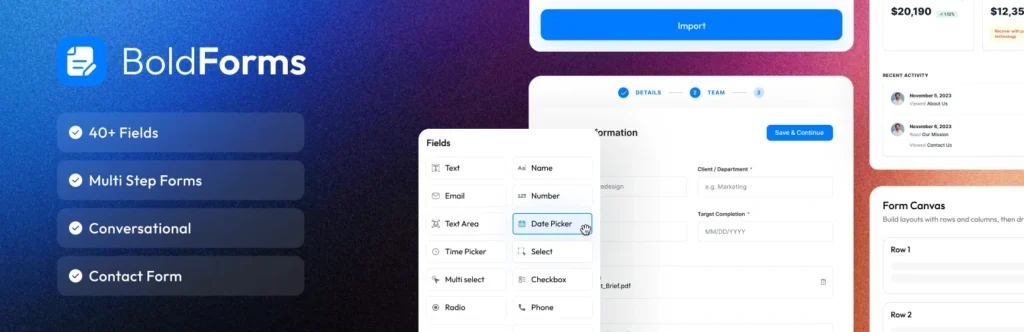
The plugin allows you to build forms visually, customize their appearance in real time, manage submissions directly inside WordPress, and connect forms with popular email marketing services.
Unlike many older form builders that have accumulated years of legacy features and interfaces, BoldForm feels like it was designed with today’s WordPress users in mind.
Its focus isn’t just on building forms quickly. It also emphasizes performance by loading assets only where forms are actually displayed, helping reduce unnecessary page weight.
Installation and First Impressions
Getting started with BoldForm is straightforward.
Once installed, the plugin adds its own management area inside the WordPress dashboard where you can create forms, manage entries, configure integrations, and review analytics.
The interface is clean and organized.
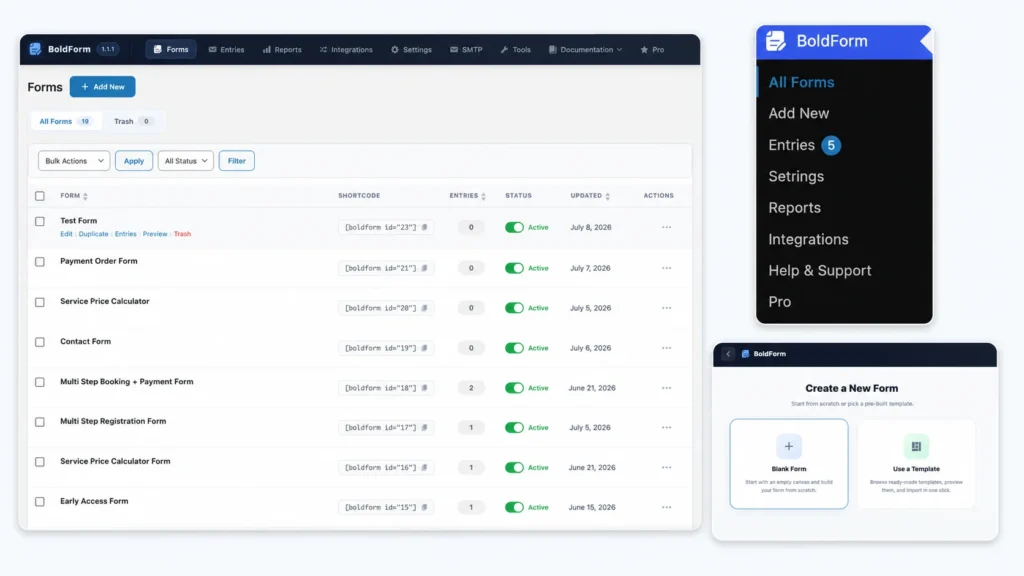
Instead of hiding options inside multiple menus, the builder presents a visual workspace where fields can be dragged into place and configured from a dedicated settings panel. This makes the learning curve relatively gentle, especially for users who have previously struggled with shortcode-heavy form plugins.
The experience feels closer to using the WordPress block editor than editing traditional forms.
Building Forms with the Drag-and-Drop Builder
The builder is one of BoldForm’s strongest features.
Fields can be dragged from the sidebar into the form layout, rearranged at any time, and placed inside multi-column rows for more professional-looking designs.
Rather than constantly switching between preview and editing modes, styling updates appear instantly as changes are made.
This live editing approach makes it much easier to experiment with spacing, typography, labels, buttons, and field appearance without guessing how the final form will look.
For users who don’t want to start from scratch, BoldForm also includes ready-made templates such as:
- Contact Forms
- Lead Capture Forms
- Feedback Forms
- Newsletter Forms
Templates provide a useful starting point while still allowing complete customization afterward.
A Wide Range of Form Fields
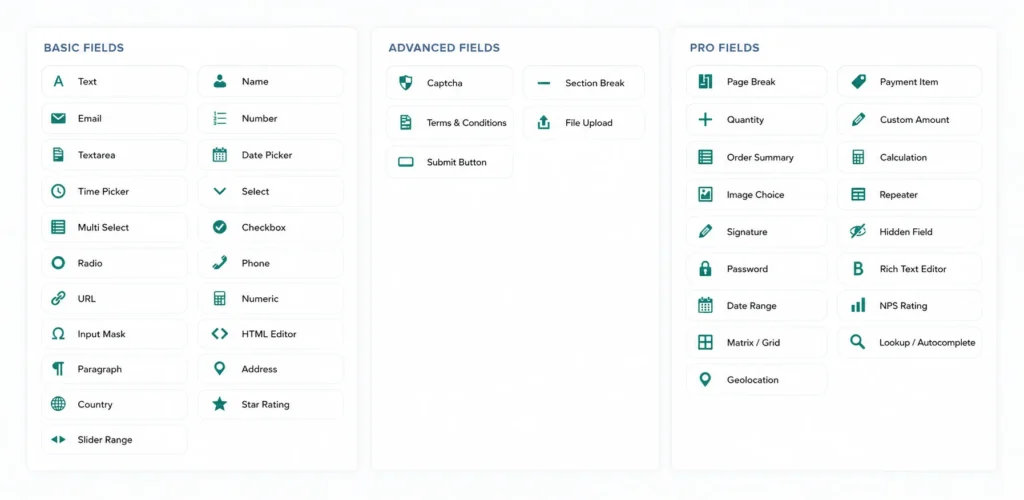
One of the first things people look for in a form builder is field variety.
BoldForm covers nearly every common use case.
Standard fields include text, email, URL, phone numbers, textareas, and numeric inputs.
For selection-based forms, it supports dropdowns, multi-select fields, checkboxes, radio buttons, and country selectors.
Date and time pickers are built in, making appointment scheduling and booking forms much easier to create.
For websites that need more interactive forms, BoldForm includes features such as:
- Star ratings
- Range sliders
- Input masks
- File uploads
- Structured name fields
- Structured address fields
- HTML content blocks
- Terms and conditions fields
- Section dividers
This variety allows users to build much more than simple contact forms.
Conditional Logic Makes Forms Smarter
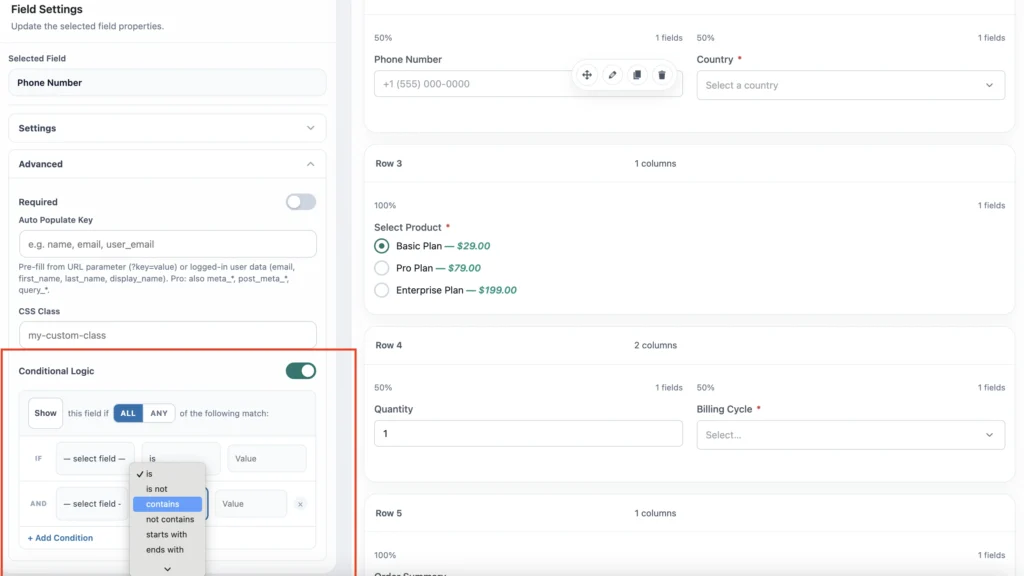
Modern forms often need to react to user input.
Instead of displaying every question immediately, conditional logic allows fields to appear only when they are relevant.
BoldForm includes built-in conditional logic with both AND and OR rules.
For example, a support form could display additional troubleshooting questions only after someone selects a particular product.
Likewise, a quote request form could reveal pricing questions only if visitors choose specific services.
This keeps forms shorter, cleaner, and easier to complete.
Performance Matters
Performance has become increasingly important for WordPress websites.
Many form plugins load large CSS and JavaScript files across every page, even pages that don’t contain forms.
BoldForm takes a different approach.
Its assets are loaded only where forms actually appear.
The plugin also avoids relying on heavy charting libraries by generating reports using the browser’s native HTML5 Canvas.
Combined with optimized database queries, this lightweight architecture helps reduce unnecessary overhead.
While performance ultimately depends on the hosting environment and website configuration, BoldForm’s design clearly prioritizes efficiency.
Managing Form Entries
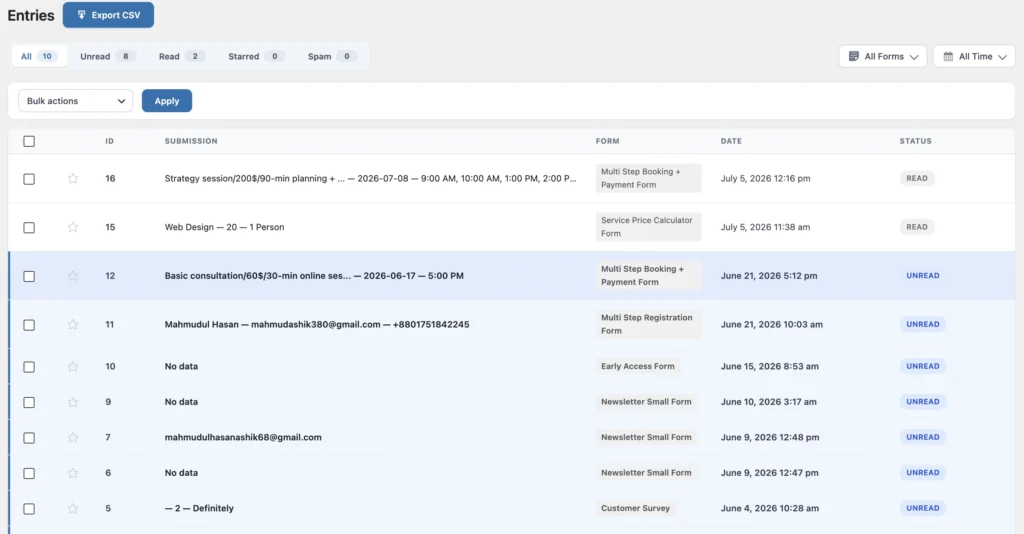
A form builder isn’t just about collecting submissions.
Managing those submissions efficiently is equally important.
BoldForm stores entries inside the WordPress database, allowing site owners to access them directly from the dashboard.
Entries can be:
- Viewed individually
- Filtered
- Marked as read
- Marked as unread
- Starred
- Classified as spam
- Deleted in bulk
- Exported as CSV
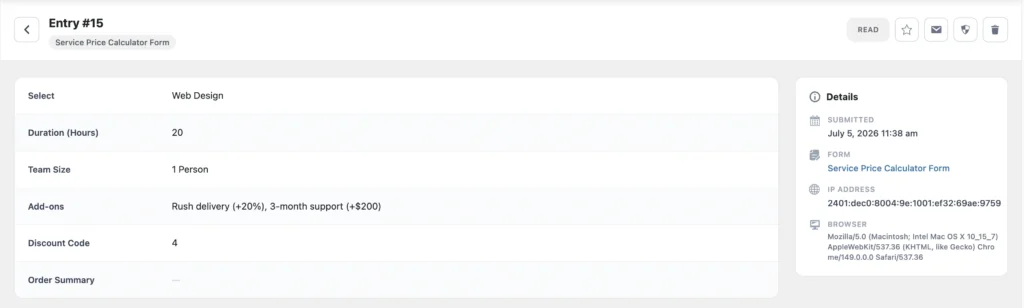
Having everything available inside WordPress means you aren’t forced to rely solely on email notifications.
Built-In Spam Protection
Spam is a constant challenge for online forms.
BoldForm offers several layers of protection.
The plugin includes:
- Honeypot protection
- Math CAPTCHA
- Google reCAPTCHA v2
- hCaptcha
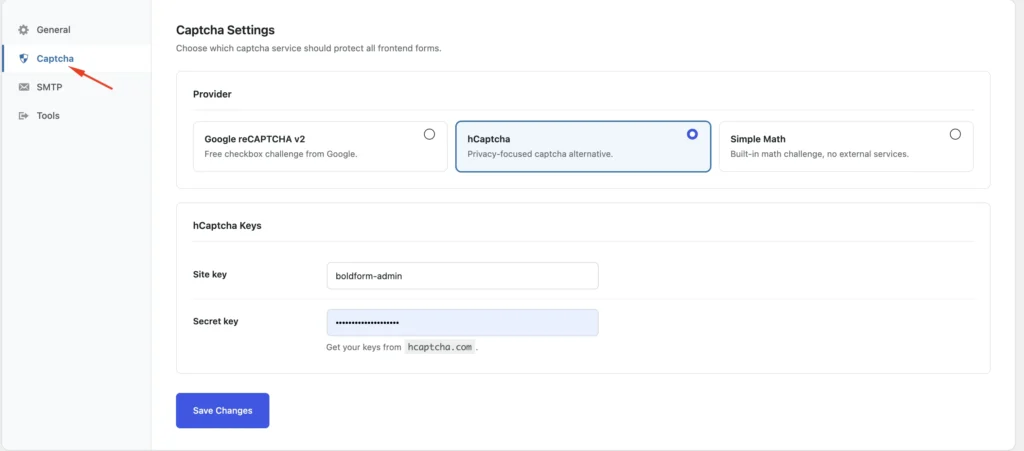
This gives users flexibility depending on their preferred balance between security and user experience.
Smaller websites may find the built-in honeypot sufficient, while higher-traffic sites can enable CAPTCHA services for additional protection.
Email Notifications and Marketing Integrations
Receiving instant notifications after a form submission is essential for many businesses.
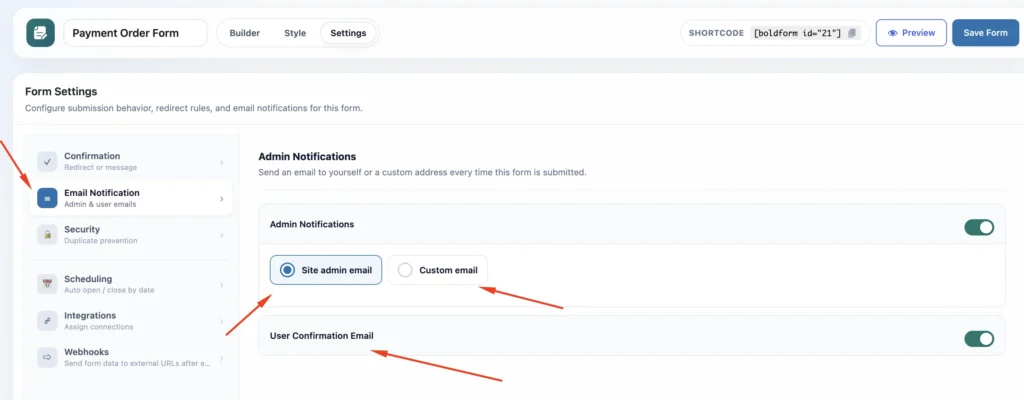
BoldForm allows administrators to customize:
- Sender name
- Reply-to address
- Email subject
- Notification content
SMTP support is also available for improving email delivery reliability.
On the marketing side, the plugin integrates with services including Mailchimp and Brevo, allowing form submissions to automatically add contacts to email lists through mapped fields.
For businesses collecting leads, this removes manual data entry and streamlines email marketing workflows.
Flexible Ways to Display Forms
Embedding forms is refreshingly simple.
BoldForm supports multiple placement methods, including:
- Shortcodes
- Gutenberg Block
- Elementor Widget
Whether your website uses the block editor or Elementor, inserting forms into pages requires only a few clicks.
Import, Export, and Site Migration
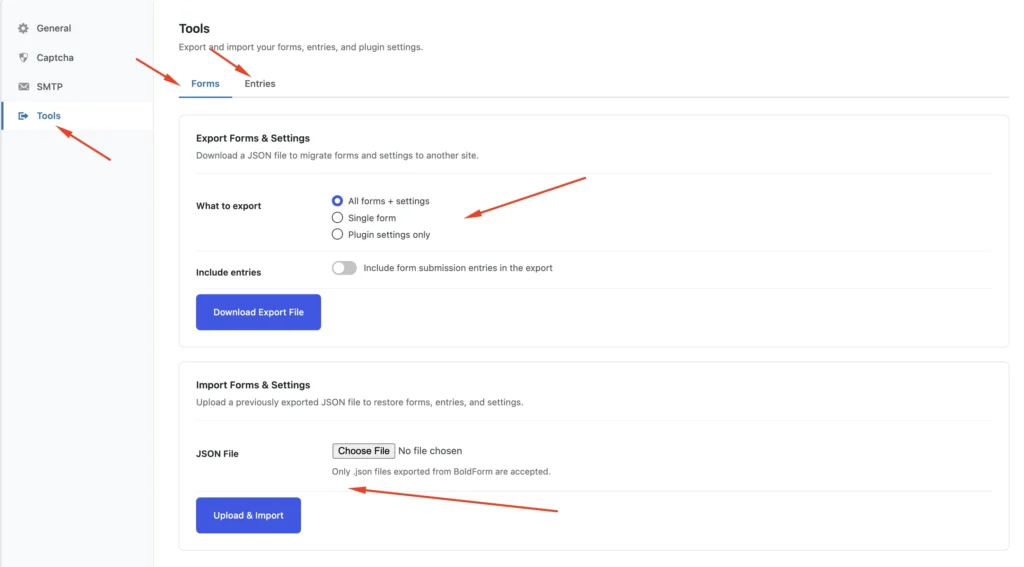
Website migrations are often overlooked until they become necessary.
BoldForm includes tools for exporting forms, entries, and settings as JSON files.
This makes moving forms between development, staging, and production websites significantly easier.
For agencies managing multiple WordPress installations, this can save considerable setup time.
Privacy and GDPR Considerations
Privacy has become an essential part of website management.
BoldForm stores submissions within your own WordPress database unless external integrations are explicitly configured.
It also integrates with WordPress privacy tools for exporting and erasing personal data when required.
Additionally, administrators can choose to remove all plugin data during uninstallation.
These features help site owners meet common privacy requirements while maintaining control over user data.
Developer-Friendly Foundation
While beginners can build forms visually, developers aren’t left out.
BoldForm includes actions and filters that allow developers to extend validation, rendering, submission handling, integrations, and other parts of the form lifecycle.
This makes it suitable not only for personal websites but also for custom WordPress projects requiring additional flexibility.
What About the Pro Version?
The free version already includes an impressive collection of features for everyday websites.
The Pro version expands those capabilities with advanced tools such as:
- Multi-step forms
- Payment integrations
- Rich text fields
- Signature fields
- Calculations
- Geolocation
- Advanced analytics
- Webhooks
- CRM integrations
- Automation platform integrations
- Cloud storage integrations
- Additional marketing platforms
For freelancers, agencies, and growing businesses, these additions can significantly broaden what forms are capable of.
Pros
- Clean and modern drag-and-drop builder
- Beginner-friendly interface
- Responsive live styling
- Excellent selection of field types
- Built-in conditional logic
- Lightweight performance-focused design
- Multiple spam protection options
- Stores entries inside WordPress
- CSV export support
- Gutenberg and Elementor compatibility
- Developer-friendly architecture
- Privacy-conscious approach
Cons
- Smaller user community compared to long-established competitors
- Some advanced business features require the Pro version
- Newer plugin ecosystem means fewer third-party tutorials are currently available
Final Verdict: BoldForm Review
BoldForm succeeds in delivering what many modern WordPress users are looking for: a powerful form builder without feeling bloated.
Its visual builder is intuitive, the available field types cover most real-world scenarios, and thoughtful features like conditional logic, built-in analytics, spam protection, and local entry management make it suitable for a wide variety of websites.
Perhaps its biggest strength is its emphasis on efficiency. By loading assets only when needed and avoiding unnecessary overhead, BoldForm aligns well with websites that value both functionality and performance.
While it doesn’t yet have the long history or massive ecosystem of some established competitors, it offers a polished experience that feels contemporary and practical.
If you’re searching for a WordPress form builder that balances ease of use, modern design, and lightweight performance, BoldForm is certainly worth considering. It demonstrates that creating professional forms doesn’t have to come at the cost of speed or simplicity.
