















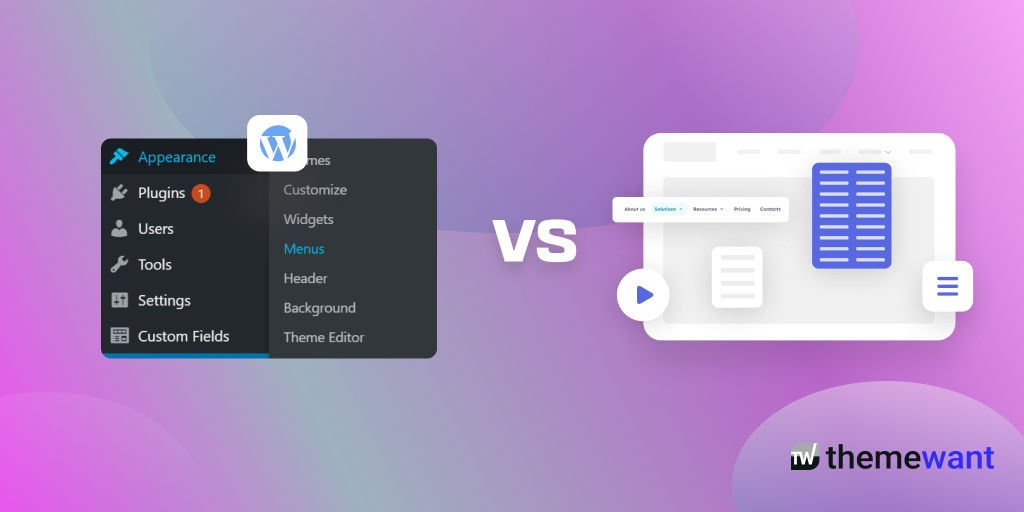
Website navigation plays a major role in user experience, SEO, and conversion rates. When building a WordPress website, many users struggle to choose between Elementor Mega Menu and traditional WordPress menu plugins. Elementor Mega Menu offers visual drag-and-drop customization, advanced layouts, responsive controls, and seamless integration with Elementor designs. Traditional WordPress menu plugins, on the other hand, focus on lightweight performance, simple dropdown navigation, and ease of setup.
The better option depends on your website goals. If you need highly customizable, modern, and interactive navigation, Elementor Mega Menu is usually the better choice. However, if performance and simplicity matter most, traditional menu plugins may work better for smaller websites.
In this blog post, we’ll compare Elementor Mega Menu vs traditional WordPress menu plugins in detail, including design flexibility, speed, SEO, mobile responsiveness, usability, pricing, and overall performance.
Elementor Mega Menu vs Traditional WordPress Menu Plugins: What Works Better?
What Is Elementor Mega Menu?
Elementor Mega Menu is an advanced navigation solution built inside Elementor that allows users to create highly customized menus using drag-and-drop widgets. Unlike standard WordPress menus, Elementor Mega Menu lets you add:
- Images
- Icons
- Videos
- Product categories
- Contact forms
- Buttons
- Multi-column layouts
- Dynamic content
This transforms a basic navigation bar into an engaging user experience.
Key Features of Elementor Mega Menu
- Visual drag-and-drop builder
- Responsive customization
- Advanced styling options
- Multi-column dropdown layouts
- Elementor widget integration
- Mobile-friendly navigation
- Animation effects
- No coding required
Elementor Mega Menu is especially popular among eCommerce websites, agencies, blogs, and portfolio sites that prioritize modern design.
What Are Traditional WordPress Menu Plugins?
Traditional WordPress menu plugins extend the default WordPress menu system with additional features like dropdown menus, icons, sticky headers, and mobile responsiveness.
Popular examples include:
- Max Mega Menu
- WP Mega Menu
- UberMenu
- Superfly
These plugins usually focus more on functionality and performance than visual editing.
Elementor Mega Menu vs Traditional WordPress Menu Plugins: Detailed Comparison
1. Ease of Use
Elementor Mega Menu
Elementor provides a fully visual interface. Users can customize menus directly from the frontend using drag-and-drop tools.
Pros
- Beginner-friendly
- Real-time editing
- No coding required
- Faster design workflow
Cons
- Requires Elementor knowledge
- More features can feel overwhelming initially
Traditional Menu Plugins
Traditional plugins often use WordPress backend settings panels.
Pros
- Simpler setup
- Familiar WordPress interface
- Lightweight configuration
Cons
- Limited visual editing
- Some require CSS customization
Winner: Elementor Mega Menu
For beginners and designers, Elementor offers a much smoother experience.
2. Design Flexibility
Elementor Mega Menu
This is where Elementor dominates competitors.
You can create:
- Full-width mega menus
- Interactive navigation
- Promotional sections
- Dynamic WooCommerce menus
- Animated dropdowns
The customization possibilities are nearly endless.
Traditional Menu Plugins
Most traditional plugins provide:
- Standard dropdown menus
- Basic icon integration
- Limited styling options
Advanced customization often requires CSS or premium upgrades.
Winner: Elementor Mega Menu
Elementor offers significantly better design freedom.
3. Website Performance
Elementor Mega Menu
Because Elementor loads additional scripts and styling, it can impact performance if not optimized correctly.
Potential issues:
- Larger page size
- More CSS/JS requests
- Slightly slower loading times
Traditional Menu Plugins
Most traditional plugins are lightweight and optimized for speed.
Benefits include:
- Faster loading
- Minimal resource usage
- Better for small websites
Winner: Traditional WordPress Menu Plugins
Performance-focused websites may prefer traditional plugins.
4. Mobile Responsiveness
Elementor Mega Menu
Elementor includes advanced mobile responsiveness controls:
- Device-specific settings
- Mobile breakpoints
- Tablet optimization
- Mobile menu customization
Traditional Menu Plugins
Responsiveness depends heavily on the plugin quality.
Some plugins offer:
- Hamburger menus
- Responsive dropdowns
- Sticky mobile navigation
But customization is usually limited.
Winner: Elementor Mega Menu
Elementor provides more advanced responsive controls.
5. SEO Benefits
Navigation affects:
- User engagement
- Crawlability
- Internal linking
- Bounce rates
Elementor Mega Menu SEO Advantages
- Better user experience
- Interactive navigation
- Improved engagement metrics
- Custom internal linking opportunities
Traditional Plugin SEO Advantages
- Faster loading speed
- Cleaner code
- Reduced script usage
Winner: Tie
Elementor improves UX signals, while traditional plugins often improve technical performance.
6. WooCommerce Compatibility
Elementor Mega Menu
Excellent for:
- Product category displays
- Featured products
- Promotional banners
- Dynamic product navigation
Traditional Plugins
Most support WooCommerce basics but lack advanced visual merchandising.
Winner: Elementor Mega Menu
Best option for online stores.
7. Pricing Comparison
| Feature | Elementor Mega Menu | Traditional Plugins |
|---|---|---|
| Free Version | Limited | Often available |
| Premium Cost | Higher | Usually cheaper |
| Advanced Design | Excellent | Moderate |
| Visual Builder | Yes | Rare |
| Performance | Moderate | Excellent |
Winner: Traditional Plugins
Better for budget-conscious users.
Final Thoughts
Both Elementor Mega Menus and traditional WordPress menu plugins have their own strengths, but the better choice depends on the needs of your website. Elementor Mega Menus stand out for their advanced customization, modern layouts, and seamless visual editing experience. They allow website owners to create interactive and professional navigation systems that improve both branding and user engagement.
Traditional WordPress menu plugins, however, remain useful for users who prefer simplicity, lightweight performance, and compatibility with a wide range of themes. They are easier to set up and are often ideal for smaller websites or projects that do not require highly designed navigation elements. For users focused mainly on speed and basic functionality, traditional plugins can still be a reliable solution.
Overall, Elementor Mega Menus are generally the better option for modern websites that prioritize design flexibility and enhanced user experience. As website navigation continues to evolve beyond simple link structures, visually dynamic and customizable mega menus provide a more effective way to organize content and guide visitors. Still, the right choice ultimately depends on your website goals, technical preferences, and design expectations.

