















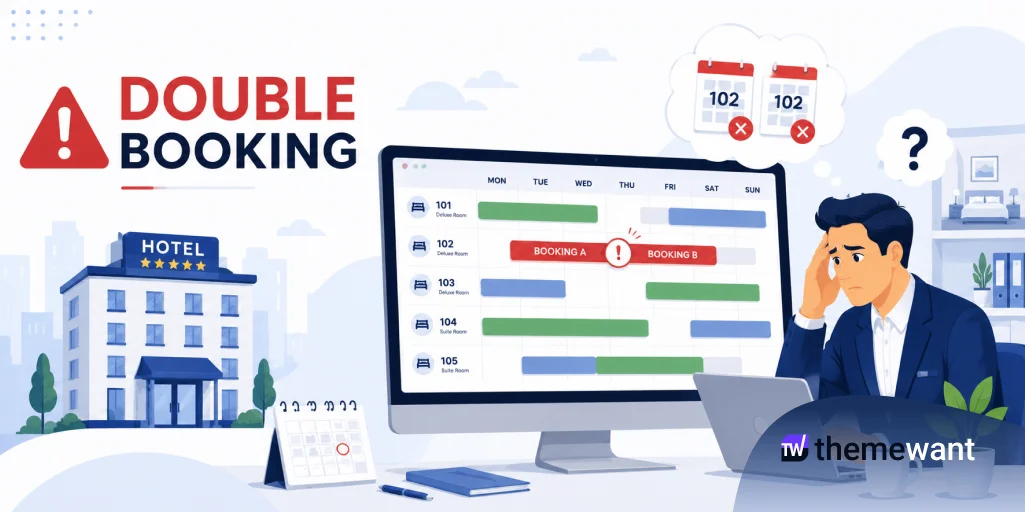
Two people, four seconds apart, both clicking “Book Now” on Room 201.
Neither of them did anything wrong. Your plugin didn’t throw an error. Your payment gateway didn’t fail. And yet tomorrow morning you’re on the phone apologising to one of them and eating a refund.
If that’s happened to you, the instinct is to hunt for a broken feature. Usually there isn’t one. The room really was free at the moment each guest was told it was free — the system just never asked a second time.
Here’s what’s actually going on, and what a booking system has to do to stop it.
The short version
- Most double bookings are timing problems, not availability problems.
- Availability has to be held during checkout, not just checked before it.
- Date overlap logic is the second biggest culprit, and it’s usually one wrong comparison.
- Channel sync (Booking.com, Airbnb, Expedia) reduces conflicts. It doesn’t eliminate them, and anyone who tells you otherwise is selling something.
What counts as a double booking
Two confirmed reservations whose date ranges overlap on the same physical room.
Guest A takes Room 201 for July 10–12. Guest B takes the same room for July 11–13. Nothing rejected either one, so now you have one room and two guests who both have a confirmation email in their inbox.
Note the word overlap. It matters more than you’d think — see cause #3.
Cause 1: The race condition
This is the big one, and it’s the one that makes owners think their plugin is haunted.
A naive booking flow looks like this:
- Check if the room is available
- Send the guest to payment
- Wait for the gateway
- Save the booking
Now run two guests through it at once:
t=0.0s   Guest A: is Room 201 free July 10–12?  → yes
t=0.4s   Guest B: is Room 201 free July 11–13?  → yes
t=0.4s   Guest A: redirected to payment
t=6.2s   Guest B: redirected to payment
t=9.1s   Guest A: payment confirmed → booking saved
t=14.8s  Guest B: payment confirmed → booking saved
Both passed the availability check before either booking existed. The check wasn’t wrong. It was just answered too early and never revisited.
The fix: hold the inventory the moment the guest enters checkout, and re-validate availability one last time before writing a confirmed booking. If you want belt and braces, put a database-level constraint on overlapping ranges so the second insert fails loudly instead of quietly succeeding.
Cause 2: The payment gap
Card authorisation takes anywhere from two seconds to half a minute. Bank transfer and manual gateways can take hours or days.
That gap is a wide-open window. Unless the room is reserved during it, whoever finishes paying second is the one you’ll have to disappoint.
The fix: a pending reservation with an expiry — 10 to 15 minutes is the usual sweet spot. Short enough that abandoned carts release inventory quickly, long enough that a guest fumbling their 3-D Secure code doesn’t lose the room.
One practical warning: if you’re using bank transfer or any offline payment method, a 15-minute hold is useless. Those bookings need a longer manual-confirmation status and someone actually reviewing the pending queue.
Cause 3: The overlap query nobody checks
I’ve seen this one in production more than once. A system checks availability like this:
sql
-- Wrong: only catches bookings that start on the same day
WHERE room_id = :room AND check_in = :requested_check_in
Same-day starts get caught. Every other overlap sails straight through — a booking that starts before your dates and ends inside them, or one that swallows your dates entirely.
What you actually want is the classic interval-overlap condition:
sql
-- Right: catches every overlapping stay
WHERE room_id = :room
  AND check_in  <  :requested_check_out
  AND check_out >  :requested_check_in
Strict inequalities are deliberate. Someone checking out on the 12th and someone checking in on the 12th is a same-day turnover, not a conflict, and treating it as one costs you real revenue over a season.
If you’re evaluating a booking plugin, this is worth testing before you commit. Book a room for the 10th–15th, then try to book the 12th–13th. If it lets you, walk away.
Cause 4: Reception
Software can be perfect and this still happens. Front desk takes a phone booking, writes it in a notebook, and enters it into the system an hour later — by which point the website has already sold the room.
The fix: manual bookings need to run through the same validation as guest bookings, with no override for staff. Or at minimum, a hard confirmation prompt when a manual entry collides with something existing. Convenience for reception isn’t worth a walked guest.
Cause 5: Selling on multiple channels
Website, Booking.com, Airbnb, Expedia, phone, walk-ins. Every channel that can sell a room is a channel that can sell a room you’ve already sold.
iCal sync helps a lot. But be clear-eyed about what it is: polling. Most platforms refresh on their own schedule — often every 30 minutes to a few hours, and you don’t control the interval. During peak season, that lag is exactly when the risk is highest.
If you’re running a handful of rooms, iCal is usually fine and the occasional conflict is manageable. If you’re running 20+ rooms across three OTAs at 90% occupancy, you want a real channel manager with push updates. That’s a genuine cost, and it’s a genuine reason.
What a booking system should actually do
Four things, in order of how much they matter:
Hold inventory during checkout. Everything else is downstream of this.
Re-validate before confirming. Cheap to implement, catches the race that slipped past your lock.
Use real booking statuses. Pending, reserved, confirmed, cancelled, expired — and be explicit about which ones block availability. Most systems that get this wrong are letting expired or cancelled bookings hold rooms hostage, which is the opposite problem and just as expensive.
Sync calendars as often as the platform allows, and know your lag.
The 10-minute audit
Do this on your own site today:
- Book a room for the 10th–15th, then try to book the 12th–13th. Does it stop you?
- Try the 15th–17th on the same room. Does it let you? (It should — that’s a turnover, not a conflict.)
- Start a checkout, abandon it, then check whether the room is still blocked an hour later.
- Look at your pending bookings list. If nothing has ever been cleaned out of it, expiry isn’t working.
- Have reception try to enter a booking that collides with a web reservation. See what happens.
Five minutes each and you’ll know exactly which of the five causes applies to you.
Where Easy Hotel Booking fits
EHB handles the layer most owners can’t fix themselves: real-time availability checking, proper overlap validation, instant calendar updates, and WooCommerce payment integration so holds and payment states stay in sync. Manual bookings from the dashboard go through the same availability checks as guest bookings. iCal sync is available as an extension, along with seasonal pricing and booking restrictions.
What it can’t do is fix a workflow problem. If reception is keeping a parallel notebook, or you’re on a bank-transfer-only setup with nobody reviewing pending reservations, no plugin is going to save you from that. Software closes the technical gaps. The operational ones are still yours.
The thing to remember: Why Your Hotel Booking Calendar Shows Double-Booked Rooms
Nobody double-books because their availability check is broken. They double-book because availability was true once and nobody re-checked.
Hold the room. Check again before you confirm. Get your overlap comparison right. That’s most of it.
